
Export all items from NSF file into PST/EML/EMLX/MSG/MBOX
Powerful Tool to Convert Lotus Notes NSF Files in Different File Extensions
An Advance Application
This is truly an advanced tool because a healthy NSF file can be shared to multiple platforms including Thunderbird, Apple Mail, WLM etc… It allows you to open Lotus Notes data on Mac, Windows and Linux.
Export without Interruption
A NSF file of any size and from any Lotus Notes version can be exported to MS Outlook, WLM or Thunderbird. The tool doesn’t stop working if the file has non-English character and any other complexity.
Free Demo Trial
Feel yourself comfortable to install the free demo version of the app. Lotus Notes converter free trial is recommended to everyone who is looking to change the email client. This free version enables you to judge the quality of the converter program.
It doesn’t matter how big a Lotus Notes file is, the tool performs flawless conversion. It doesn’t stop working till the selected file is exported. The complexity of file doesn’t interrupt to provide accurate results every time. This is what makes the tool reliable. Users can trust it to convert important to important Lotus Notes data with the help of NSF Conversion app.
If you are looking for safe and sound way to change from Lotus Notes to MS Outlook for Windows, the NSF migration app will help you achieve this successfully. The conversion program supports conversion of NSF to two common file formats of MS Outlook- PST and MSG. You are free to choose any one of them and proceed to access Lotus Notes data to MS Outlook.
As you all know that EML, EMLX and MBOX are versatile email file extension as they read in several file formats. With the NSF exporter you can successfully accomplish conversion of Lotus Notes to any of these three file extensions. Your Lotus Notes data can easily accessible on Apple Mail, Entourage, WLM, Thunderbird and several other email clients with this conversion support.
With this app, conversion results you get are impressive. It is all because the tool converts those NSF files that you would like to export. It has deep file filtration feature that lets you to do manual search of a particular NSF file to convert them to EMLX, EML, MBOX, PST or MSG. Open any folder of your choice to select a particular NSF file for migration.
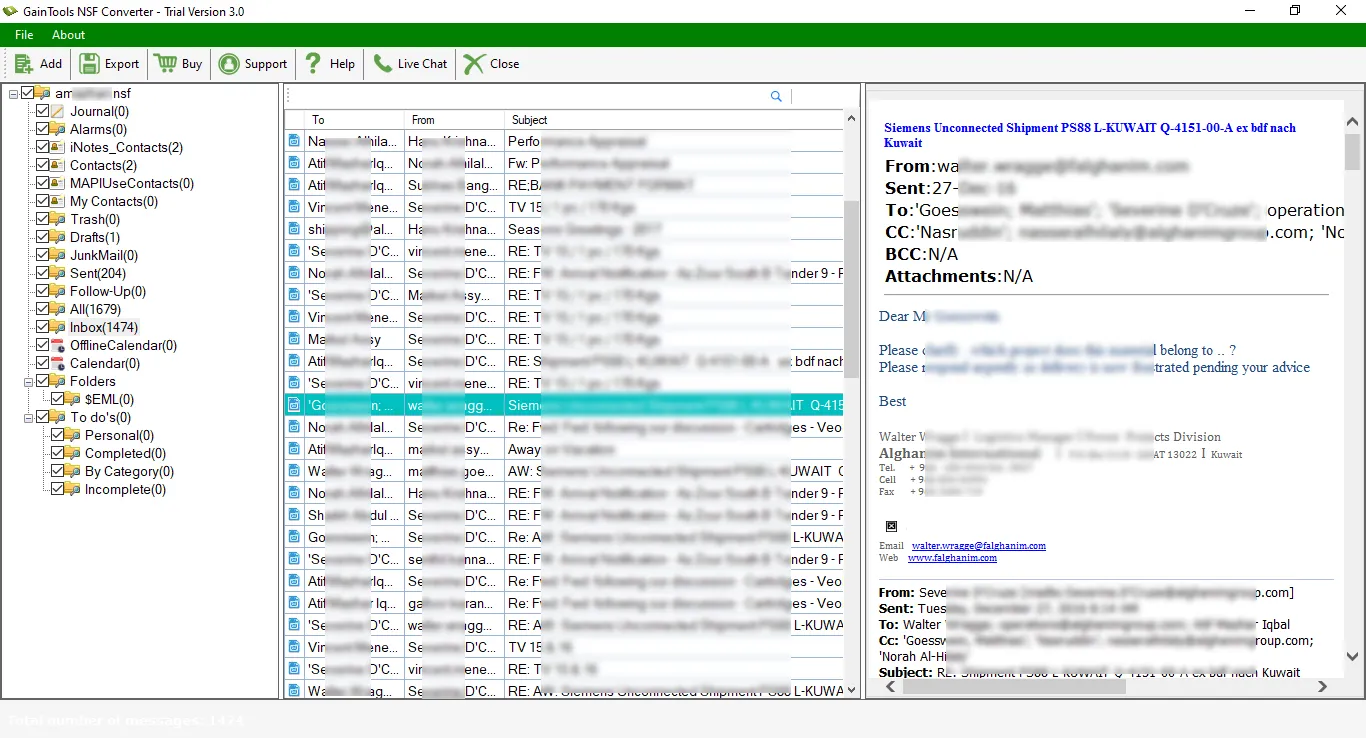
This NSF Converter tool enables you to find complete export of required NSF file. As you select a particular NSF file, it shows preview of the selected data. The preview box is divided into three sections to feature the number of folders a NSF file has and in each folder the number of items. Apart from this, it shows the content of each mail including CC, BCC, To and From.
It is over to you to decide the location of converted data locally. You can either create a new folder or choose an existed folder to save the particular converted data. This is the way it is possible to manage data. You cannot lose your file because you already know its location. This is one of the most outstanding features of the app.
Don’t worry if you are not so sharp technically as the converter is so easy to operate. It converts NSF by following just 3-4 simple steps. The wizard is interactive. It doesn’t take much time to become familiar with the app to run it singlehandedly. This cool app makes conversion process just like copy and paste of data.
Are you thinking to switch from Lotus Notes to MS Outlook or Lotus Notes to Mac, Lotus Notes to Thunderbird and varieties of other email clients of Windows, Mac and Linux? Feel comfortable to download the free trial version. It is a 30-day free trial that allows you to evaluate the utility. Ones, you have satisfaction, buy the license.
To convert NSF file to multiple formats, get the complete working of NSF Converter –
The basic step is to download and install GainTools NSF Converter on your system.
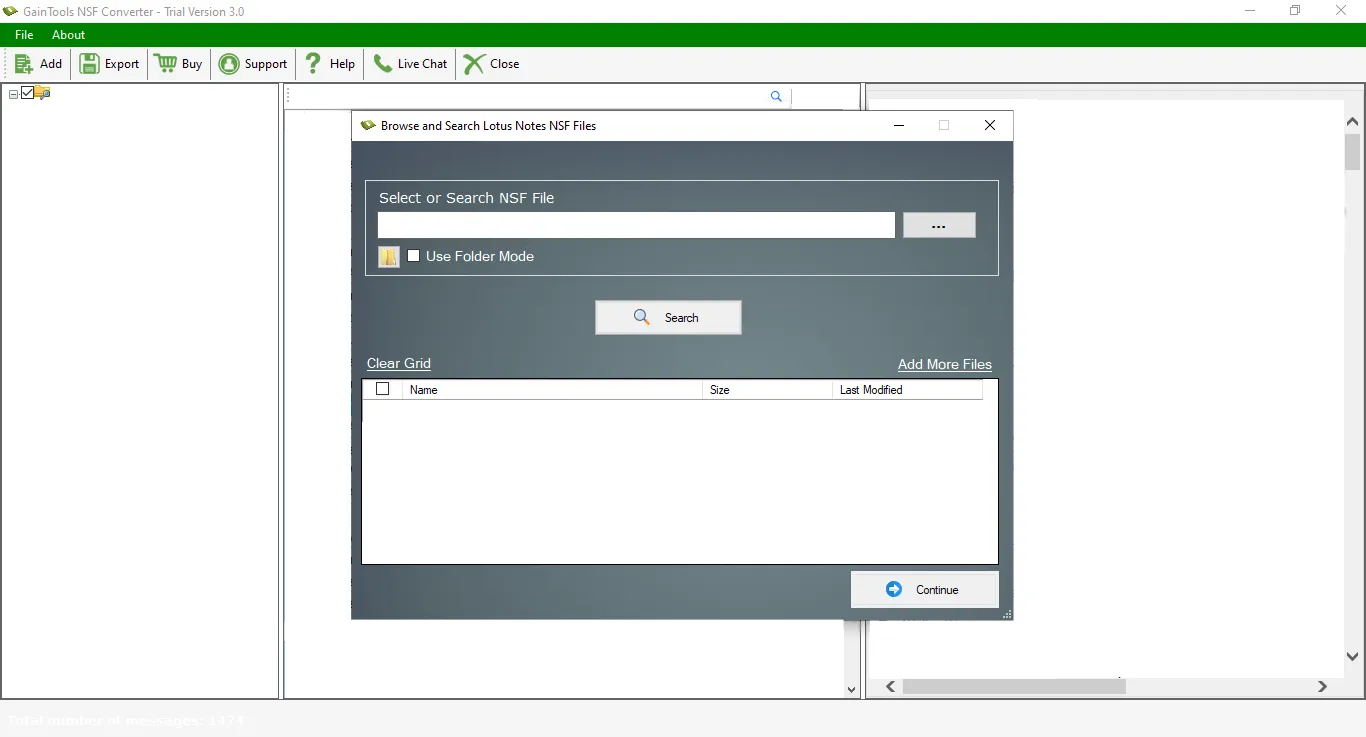
Browse NSF file whom you want to convert.
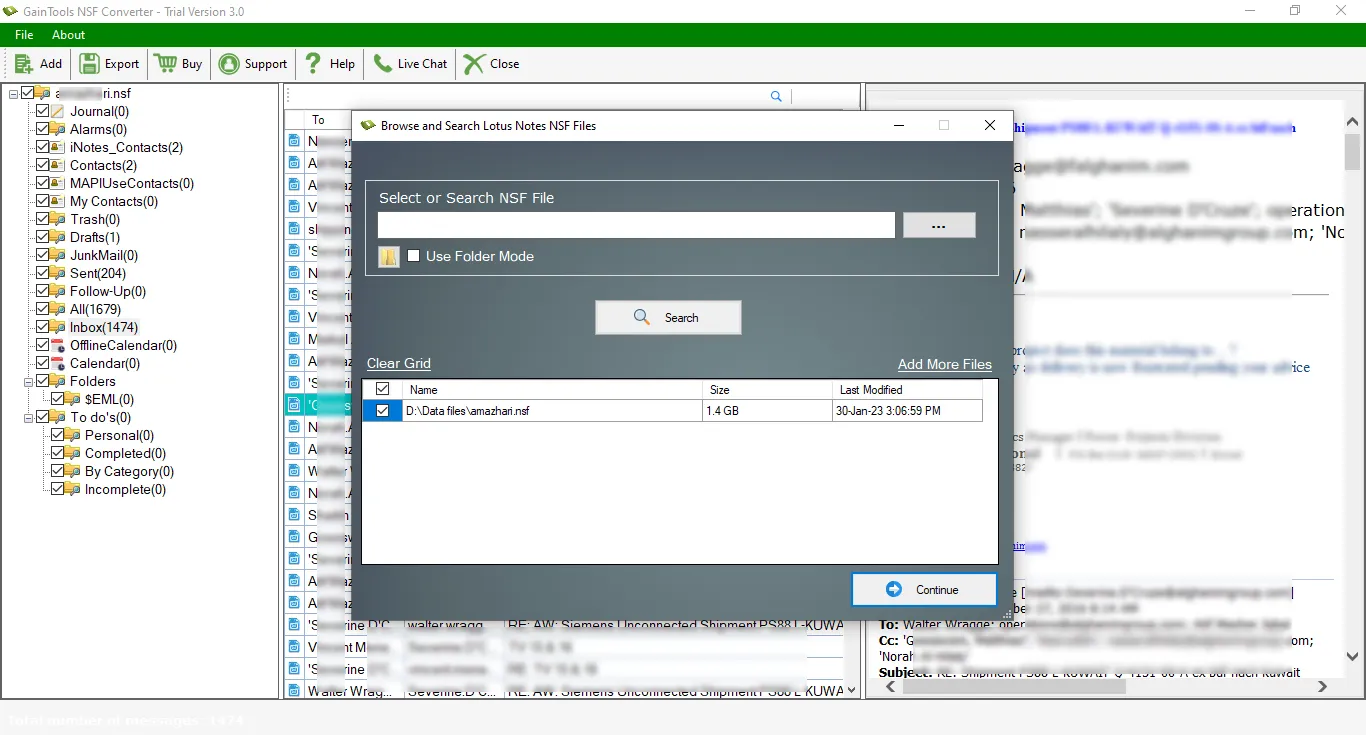
Get complete details of the NSF file. And, select items from NSF file that you want to convert.
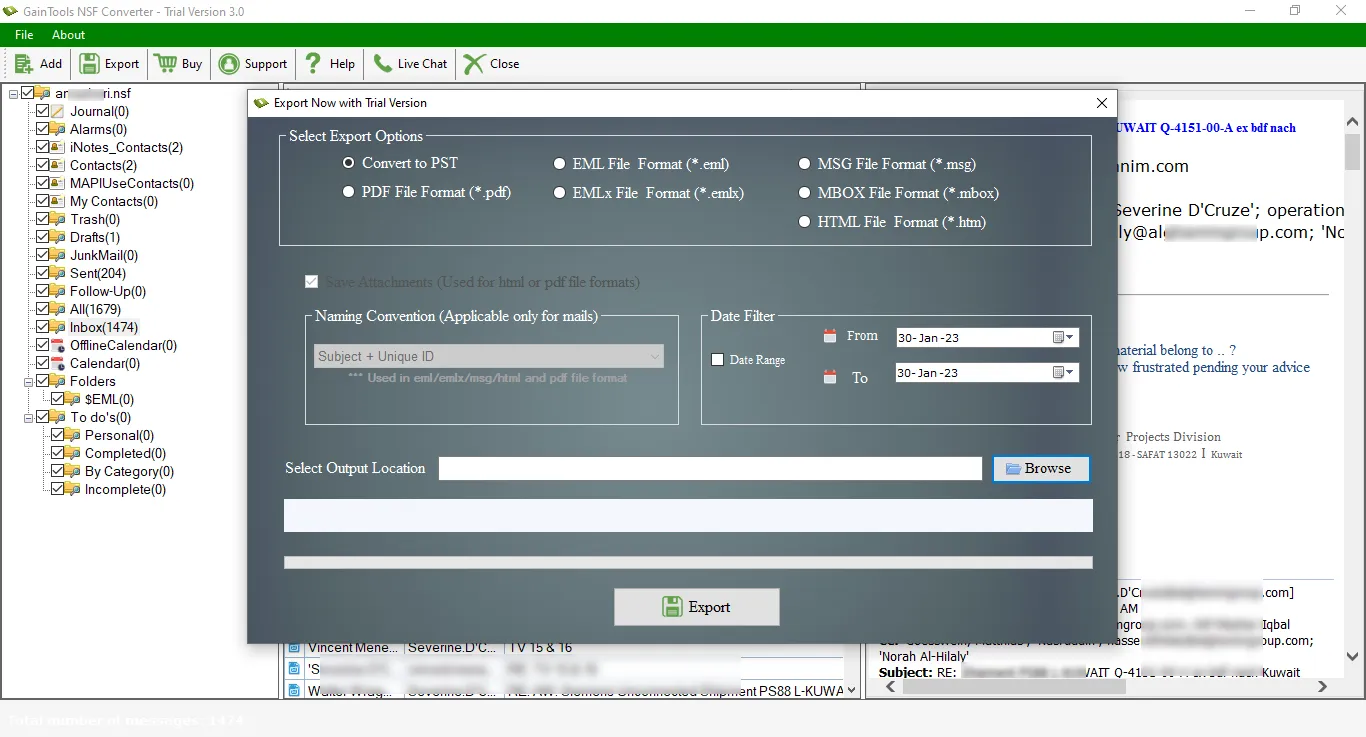
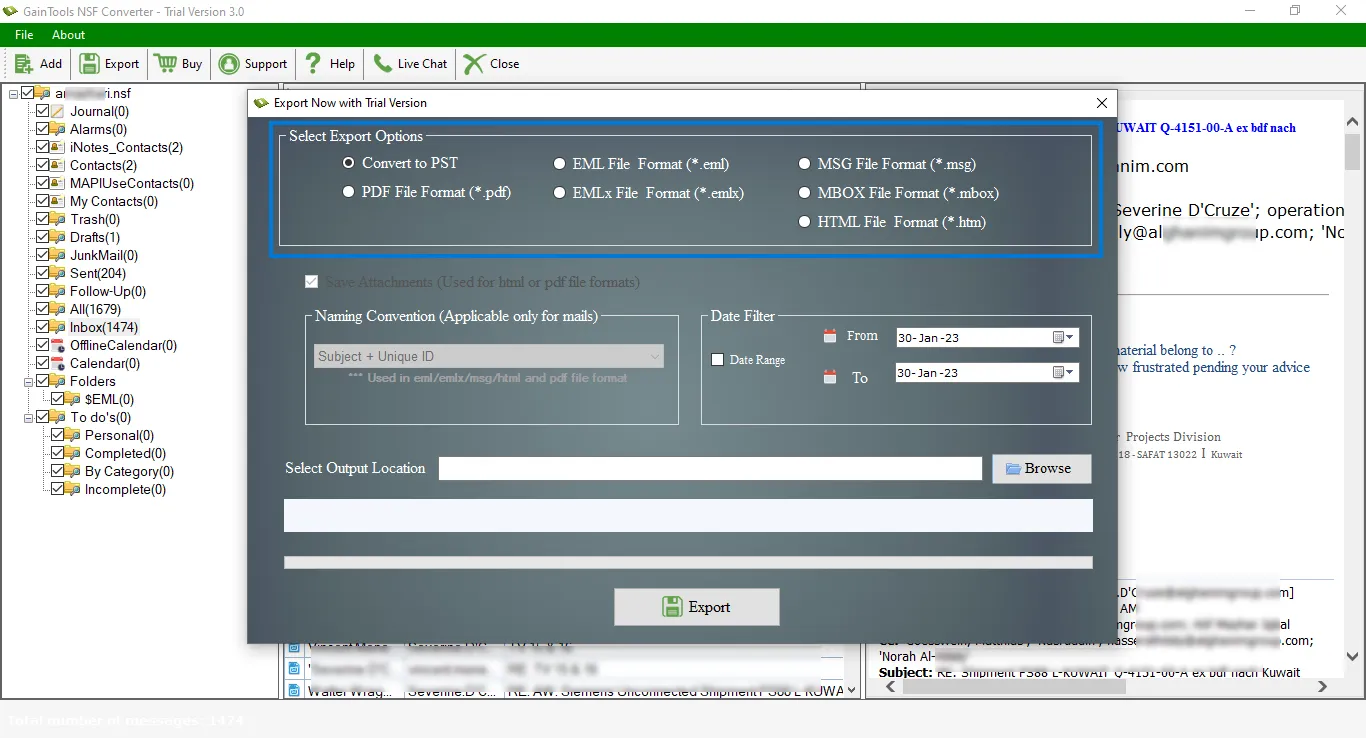
The application offers 5 file formats in which you want to export NSF file. These options are PST, EML, EMLX, MSG, and MBOX formats.
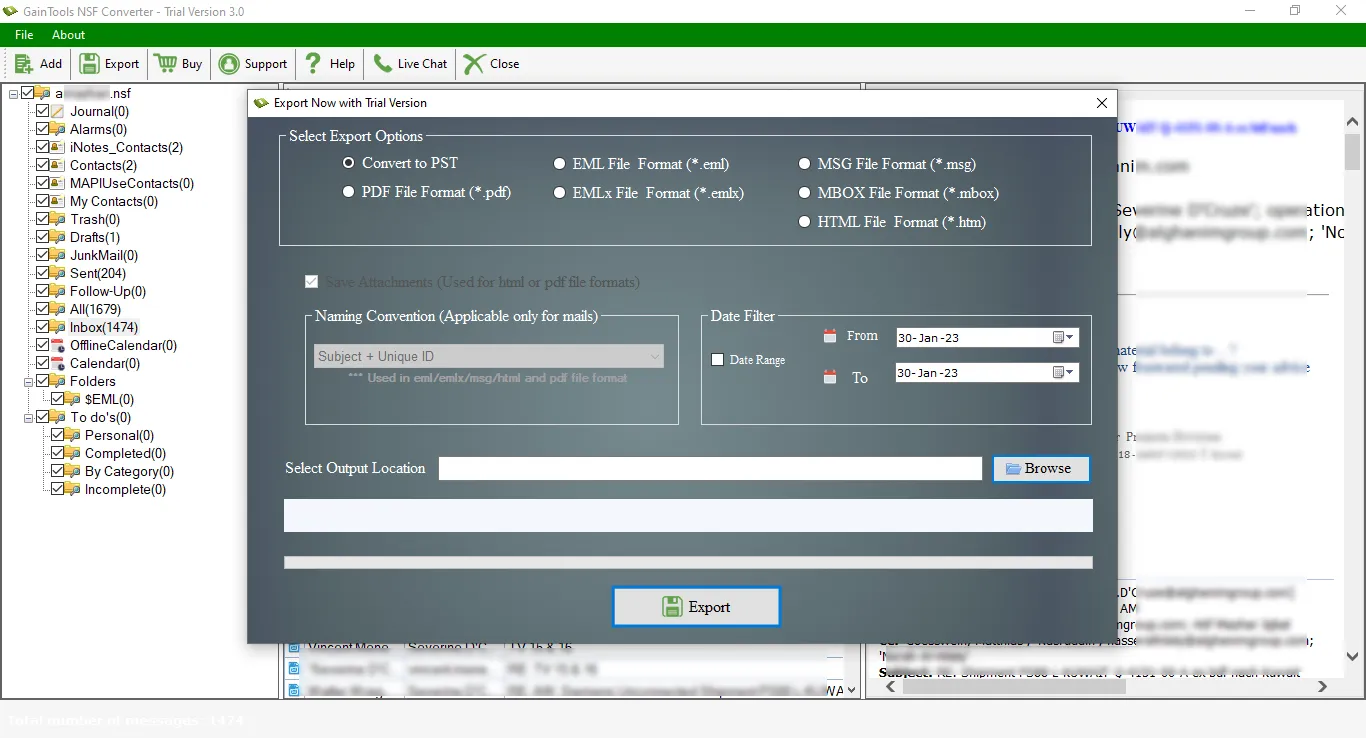
Set an output location using the Browse button to save the resultant file.
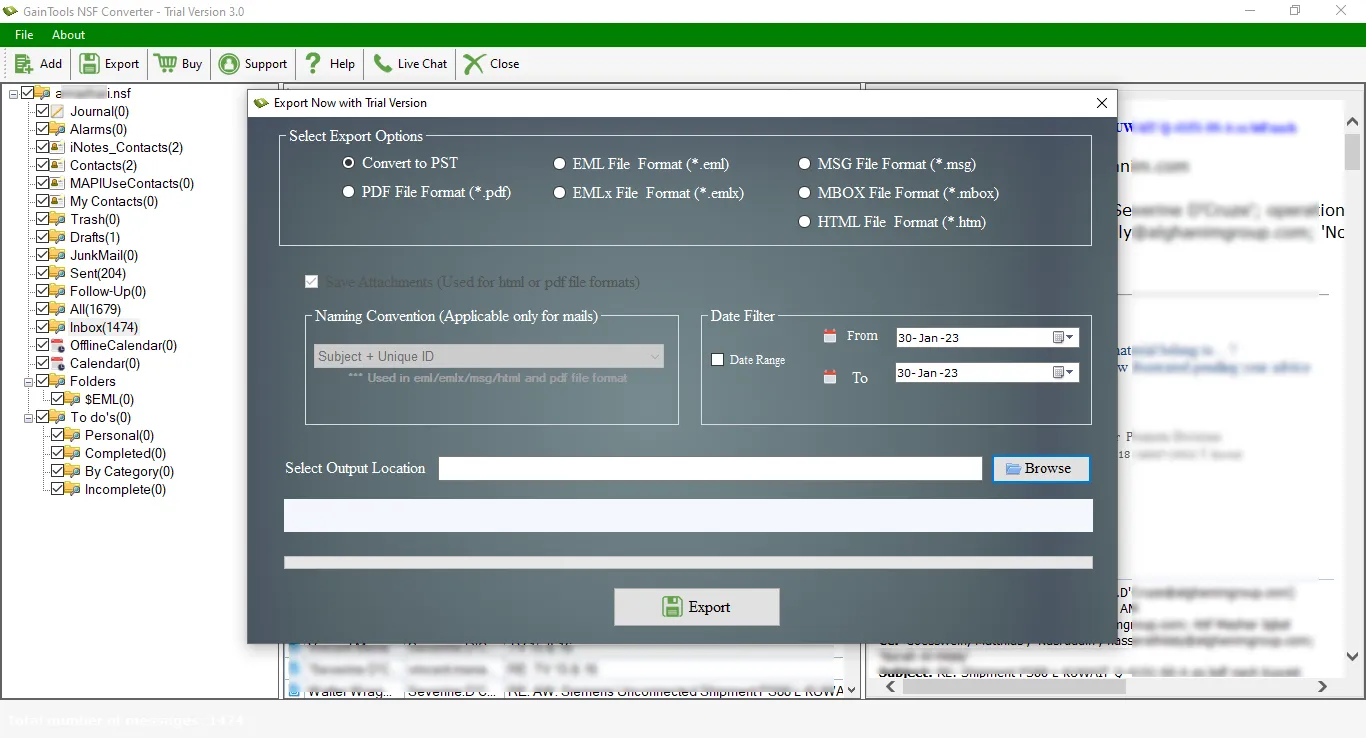
In the end, hit the Convert Now button to start the conversion.
(Note: It is compulsory to install Lotus Notes in the system to export NSF files)
Know Minimum System Specifications to Download & Use the NSF Converter App with Ease
Download a Trial - Take the tool to evaluate by converting 10 emails from each NSF folder.
I exported a big NSF file to Outlook using NSF Converter. I found this application very powerful and amazing to migrate complete mailbox items from Lotus Notes to MS Outlook.
Nancy Edwards USA
On my colleagues advise, I check the demo version of NSF Converter. It surprised me with its rapid conversion rate and at that moment I decided to utilize this application to export my Lotus Notes mailbox items to MBOX format.
Jacob Green United Kingdom
With fewer efforts and few steps, the utility has exported all my emails, contacts, calendars, and other items from IBM Notes to Outlook. I found that this one application is offering so many options to export NSF file which is the best part of this application.
Collin Lewis Canada