
Import desktop-based applications files to cloud environment on Windows
Switch local emails to cloud with Webmail Importer software
Fast Uploading
The utility quickly transfers any local file like PST, OST, NSF, MSG, MBOX, EML, etc. to any cloud application of your choice. In just 3-4 simple steps, the import task gets completed without any delays.
Multiple files import at once
A user can import various files to the required cloud application simultaneously. It is required to provide correct login details of the cloud account to import the files. No limit is specified on the number of files.
100% safe uploading
Not a single damage to the original file is done by the application. 100% safe transfer of healthy files is performed by the application without damaging the original content of the file.
Easily import any desktop-based email clients file like PST, OST, EML, EMLX, MSG, MBOX, NSF, TGZ, etc. to multiple IMAP servers like Gmail, Yahoo, G Suite, Office 365, Hotmail, etc. Now users need not invest in multiple tools. Only this single utility is enough to transfer any local file to the desired cloud application.
No need to import a single file at a time. With this program, one can transfer multiple files to their required webmail account. There is no limit on the size and number of files to import into cloud. One can import unlimited files from local system to cloud environment in a single cycle. This will help users in importing huge amount of data in a short time.
The original information is completely retained as it is before and after the files get imported. Not a single change is done to the email formatting and meta properties like to, cc, bcc, from, subject, hyperlinks, font styles, etc. The Webmail Importer Tool takes care of every element throughout the import task. No worries at all.
Along with emails, all the attached files are safely imported from local to cloud server. The utility imports all type of attachments whether it is Excel, DOC, PDF, etc. Without losing a single detail, the import task gets completed within a short time period keeping all the original files safe and free from any damages.
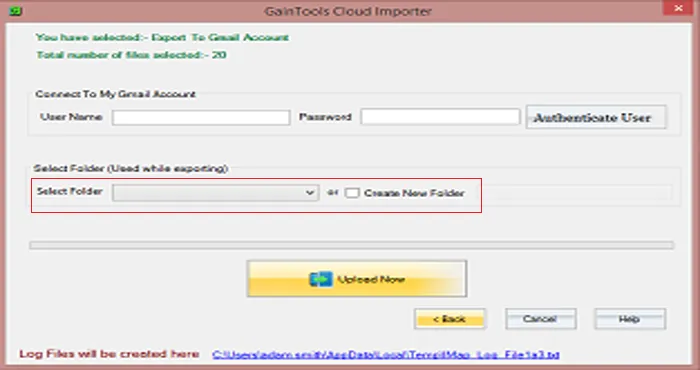
Cloud Email Importer comes with two options to save local emails to cloud account. Users can either choose an already created folder like inbox, outbox, sent, drafts, etc. or can create a new folder to save the files. It depends on user which option they want to choose to save the imported files to cloud application.
Freeware Cloud Importing Tool is available so that users can freely check the functions & complete features of the application before applying for the license edition. The demo edition is very similar to the license version. By this, a user can import only 25 local files to cloud environment. Apart from this, all functions are same in license and free version.
100% safe transfer of local emails to webmail account is performed by the application. In every attempt, the files are successfully imported without causing single damage alterations to the original files. Without manipulating the original content, the import task gets completed in a short time period. A log file is also generated containing all details.
There is no need to depend on any email client or any external program. Having local emails and the correct login credentials of the desired webmail application, one can simply transfer unlimited local emails to cloud. With the self-descriptive interface, one can easily operate the application without facing any problem in handling it.
Importing any local file to cloud service becomes so simple once you go through the below steps.
Download, install and run Cloud Importer on your Windows OS.
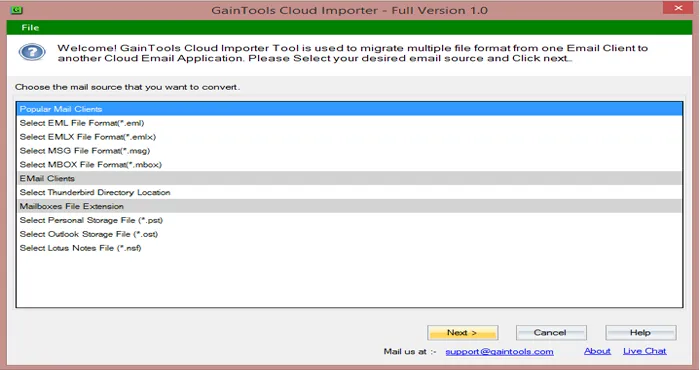
Select a file format that you want to import.
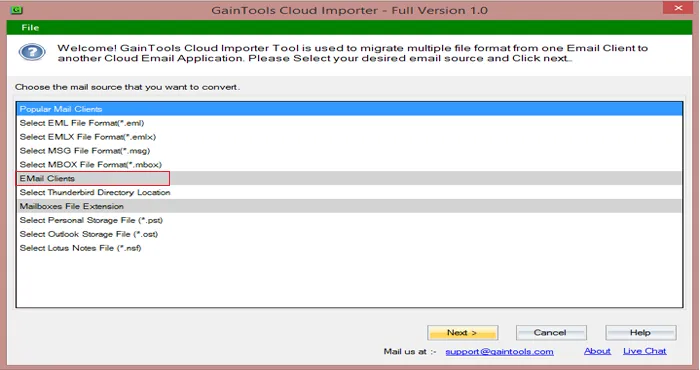
Select multiple files or single file option and add desired files.
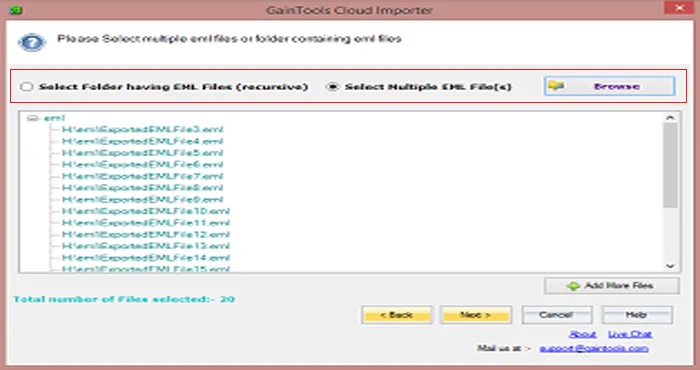
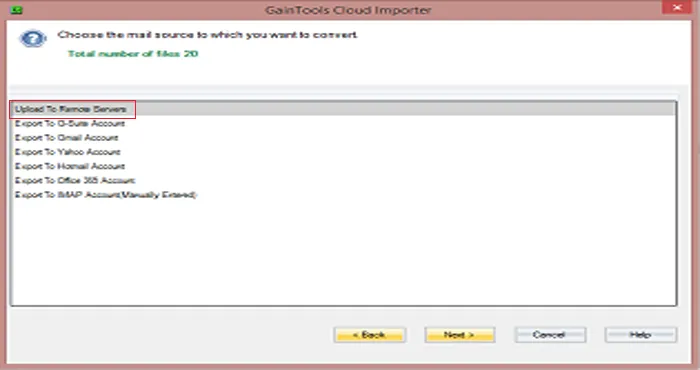
From a list of cloud applications, choose a cloud service in which you want to transfer local files.
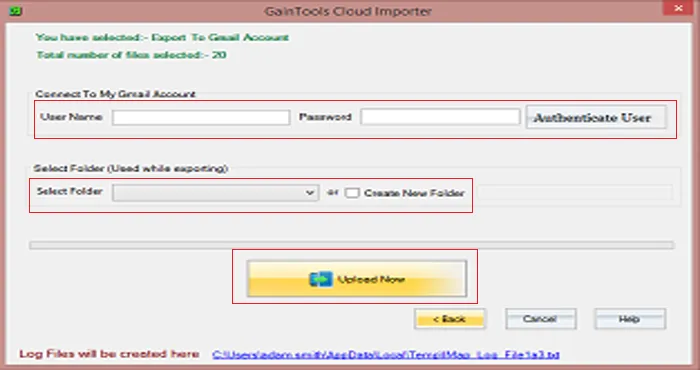
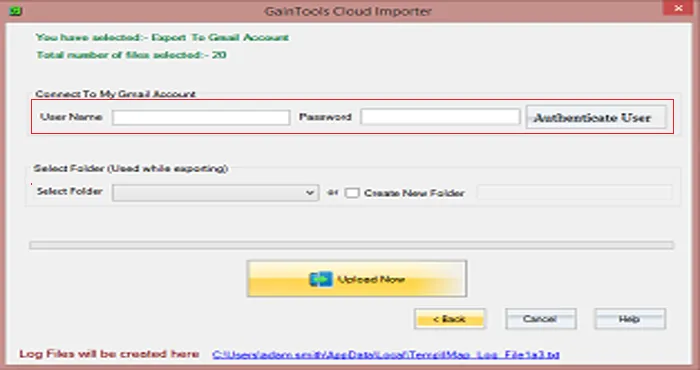
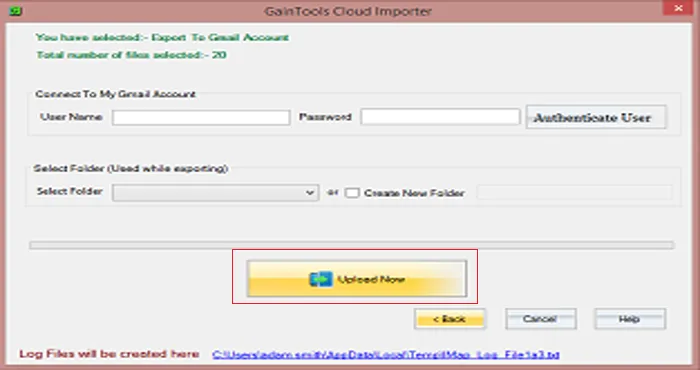
Enter the correct username and password of the cloud application.
Select an existing folder or you can create a new folder to save the files.
Finally, hit the Upload Now button and this will start importing local files to cloud application.
Know Minimum System Specifications to Download & Use the Cloud Importer App with Ease
Download a Trial - Take the tool to evaluate by importing maximum 25 items.
Truly a multi-task performer tool. I utilize it to import Outlook PST files to Yahoo account and the complete task is finished taking a few minutes. Moreover, Outlook presence is not at all required.
George Sermons USA
I got this application on the recommendation of my friend when I need to transfer Thunderbird files to Gmail account. This is one of the outstanding utilities which I ever got. The whole credit goes to the development team.
Fidel Wold UK
A fast and superb utility that helped me to import EML files to G Suite account. Now, I can access EML files online. Really a brilliant software.
Eugene Christopoulos Bolivia