
Convert EML emails to PST, MBOX, MSG, etc. with attachments
A complete conversion tool to export all healthy and desirable .eml files
A Pure EML Conversion Program
The advance app has been prepared to migrate only .eml files to Windows MS Outlook format. No matter what email client you are using, if the data is saved in EML file extension, conversion is possible with this EML Migration utility.
Safe Recovery Assurance
Users can rely on the app to export their precious EML files. Safety of data is provided by exporting without changing the hierarchy and exporting entire folders of EML files. All items and email properties are exported in the safe environment.
Quick Export Assistance
This intelligent software has been designed to quickly perform export process. It enables you to export EML files regardless of its size. The utility scans the selected EML files in just a few seconds to make them ready for migration.
This conversion app has been designed to perform migration of Thunderbird, WLM, Mac Mail and any EML supportive email clients to MS Outlook. All the converted data is saved to Personal Storage Table format. You all know PST is the most common file format of Outlook that has capacity to create up to 20 GB data. Thus, a big sized PST file can be created.
The entire migration process is free of any error. The utility preserves data integrity by locking the format, hierarchy and components. All emails are exported in the same format including their CC, BCC, To and From. The file size doesn’t come in the way of migration. Allow exporting emails, messages, notes and entire folders with just a few clicks.
Users are rewarded with deep file filtration. You can open any local folder to pick the desirable EML file for conversion. The EML Exporter doesn’t restrict you to open C or any drive of your computer to locate a particular EML file for migration. Thus, it supports deep migration feature to make conversion as per user’s choice. Note: it gives you access to only accessible EML files.
This is one of the most attractive features of the app. It gives batch migration assistance to select and convert not just one but also multiple EML files at once. Users are free to export 2, 3, 4 and multiple EML files. This feature is helpful to users who are looking to export multiple EML files and at the same time want to save time.
This is one more incredible feature that seems attractive as it encourages easy file management. The output location of the migrated EML files is decided by users. This utility allows you to instantly create a fresh PST file or gives permission to pick any existed PST folder to save the exported data. With this feature, the tool allows safe data migration.
This is an extra feature that EML Export app gives support. In this feature, users are allowed to either click the feature or avoid it. The migration process is not going to interrupt in either ways. If you click the feature, it removes duplicate content. Thus removable of duplicate, it is possible to prevent unnecessary data clutter.
The interface of the software is easy to observe. With just one or two trial of the app, it is not so hard to run the application single handedly. However, the tool carries a few simple buttons to click it is easy to remember the process. The wizard is self-explanatory. It doesn’t need any deep technical support to install and run the utility.
Get yourself ready to experience smooth EML to MS Outlook export. The app is available for free trial for a limited period of time. This free trial helps understand the key functions of the tool in no time. Install the free demo version which just takes a few seconds for installation. After demo trial satisfaction, you can go for purchasing the license of this incredible app.
With GainTools EML Converter, it is easy to create multiple files by conversion of EML files.
The first step is to install the software successfully on your system.
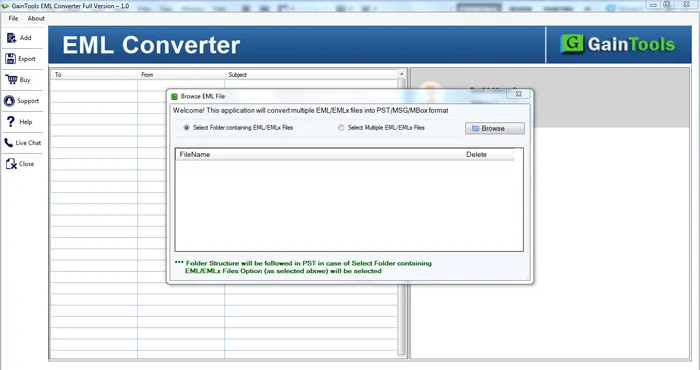
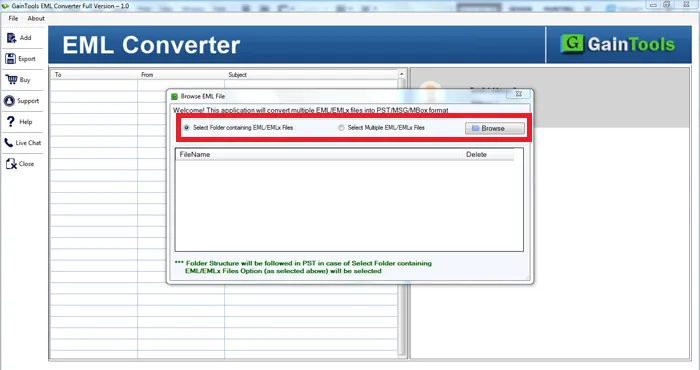
Now, select Folder or File Mode and add EML files.
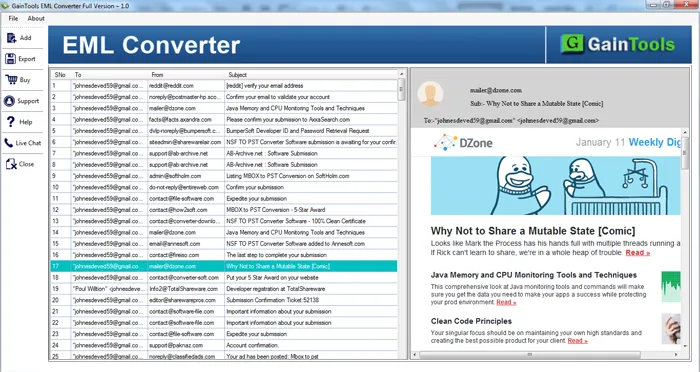
A complete list of selected EML files is displayed. View the files before the conversion.
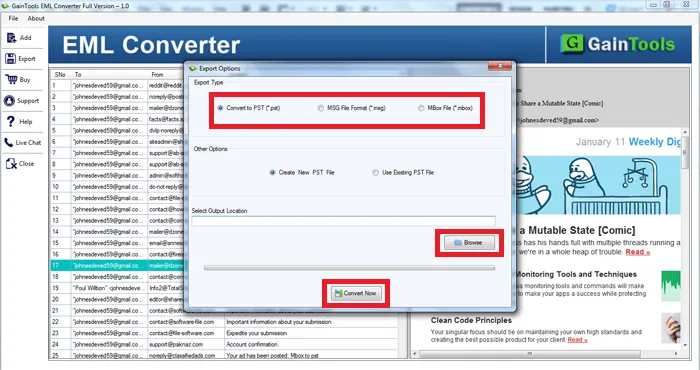
The software offers 3 options in which you want to convert EML files like PST, MSG, and MBOX.
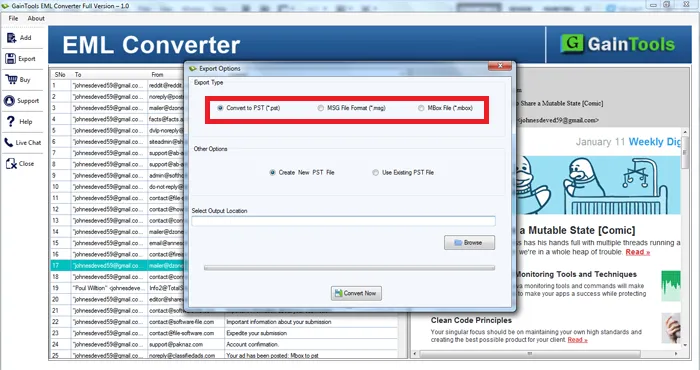
Use the Browse button and select the location of your system to save the resultant files.
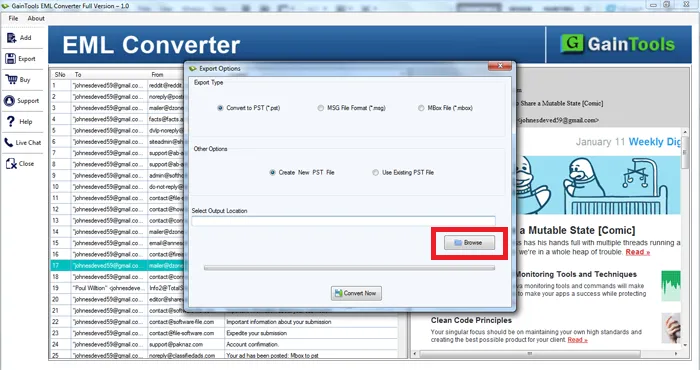
In the end, hit the Convert Now button to begin the conversion process.
Know Minimum System Specifications to Download & Use the EML Converter App with Ease
Download a Trial - Take the tool to evaluate by convert maximum 10 EML files.
At first, I was not confident using this conversion program to export EML files to PST format. But after using the trial version of the software, I knew how to handle the software. Thanks, GainTools for such a smart solution.
Fritz Wold South Africa
I recently purchased GainTools EML Converter at a great deal. It is affordable and offers a wide range of features to make the conversion convenient.
Hendrix Svennigsen Spain
This is the easiest solution by which users can export EML file to several formats. I have utilized this application to export EML files to MSG format and the entire conversion task is completed in a short span of time.
George Strong Romania