
Advanced solution to export PST file to EML, MSG, MBOX, and VCF formats
A complete tool to migrate PST to 5 different file formats
No More Data Sharing Restriction
With this 8+1 conversion app, you become eligible to access MS Outlook data to many different email clients like Apple Mail, Thunderbird, Entourage, WLM and many more. It makes MS Outlook data highly flexible to share with multiple email formats.
A Reliable Application
This is a reliable utility to try. No matter how many PST files you want to convert. Each time the conversion result is satisfactory. It maintains the format structure and text quality. There is no different in the original and converted data.
Highly Compatible
This is a Windows utility that has been designed to perform migration on Windows 10, 8, XP, Vista and many other Windows OS. It exports PST files of MS Outlook 2003 to 2016. It recognizes PST files quickly.
This is a useful utility that makes your Outlook data flexible for several platforms including Mac Mail, Entourage, Thunderbird, WLM and many more. As the Outlook Converter allows you to access PST data on EML, EMLX, MSG, MBOX and VCF file formats… It doesn’t restrict you to read or view MS Outlook contacts to multiple smart devices which vCard conversion. EML/EMLX/MBOX supports give access of MS Outlook to Mac, Linux & Windows email platforms effortlessly.
No matter how big an PST file is, conversion report is provided with top accuracy. No data is altered or missed during migration. It preserves content quality. All attachments are exported. It is capable to scan PST files holding non-English characters like Korean and Chinese to offer high quality migration. All email properties are exported by the app including CC, BCC, To and From. It extracts all contact details including name, address, phone number and home address to transfer data accurately.
The tool operates as per your command. It selects those PST files that you have selected to export. You can browse from the tool to any local folder to locate a particular PST file for conversion. The PST file converter easily reads the selected PST file and displays its path to users to ensure that it has scanned only the selected PST file. Thus, it operates according to your command and gives you space to use the converter as per your choice.
This smart PST File Conversion has capacity to not only filter out user’s specified data but also give permission to save converted data to the location where users want. The application asks users for the specific location in the system to save the converted data. It can be any drive. It gives permission to create a new folder instantly to save the converted data. Thus, smart email management support is offered by this cool app.
Each time the tool shows preview of the selected PST file. It has a preview pane divided into 3 categories to show a brief preview. See how many folders a PST file has, go through how many items a PST folder has and go through the content of each item which displays CC, BCC, To, From and text. Thus, you can ensure that the selected PST file is what you are looking for.
All the trash folder items can be recovered from the tool. This is a multi-performer, capable to retrieve all essential PST items that you have accidentally or intentionally deleted. If the deleted data is still available in the trash folder, use this conversion app to recover back the data. In this way you can able to get back your data quality. The utility recovers deleted items swiftly and gives space for data conversion.
The PST Conversion app has facility to retrieve contacts of all PST files in one VCF format. Thus, it allows you to share these important contacts to multiple email clients as well as multiple devices like iPhone, tablet, blackberry and palm computer. You don’t need to carry you bulky laptop all your way just to see the contacts. It retrieves name, address, phone number, images and all essential contact related data swiftly.
The app is remarkable as it is easy to use. No technical assistance you need to operate the program. The tool shows a few clicks to achieve migration gently. It has a simple wizard that tells the steps you need to follow for migration. With just one trial of the app, users can keep the steps in mind. No matter how much technically efficient you are, operating the app is so easy.
The conversion of Outlook PST files is so simple with PST Converter. Here are the steps –
Run the software by installing it on your system.
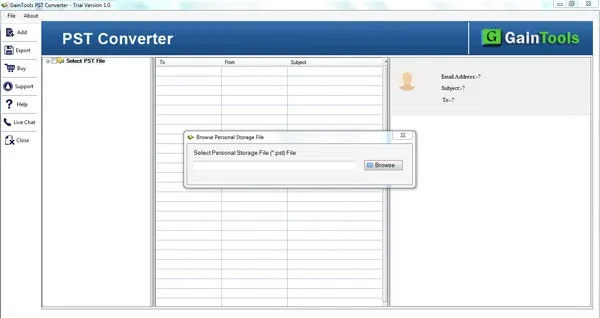
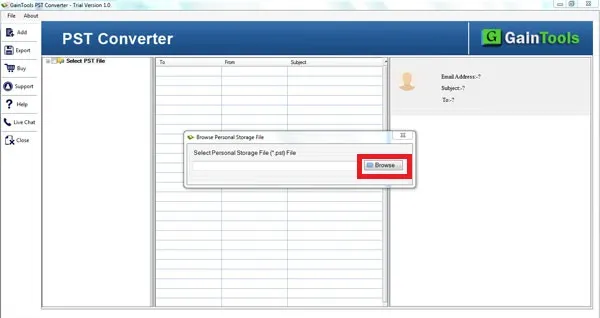
Browse the PST files that you want to convert.
Once PST file is added, users can view the complete data of the Outlook file and select required items.
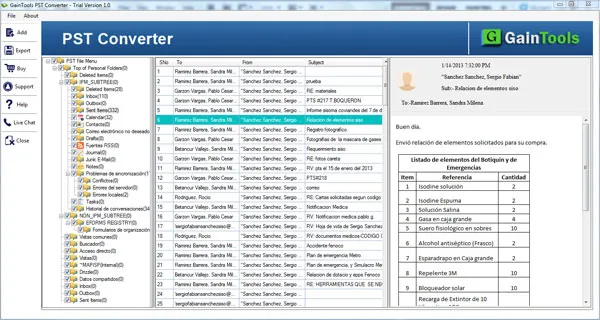
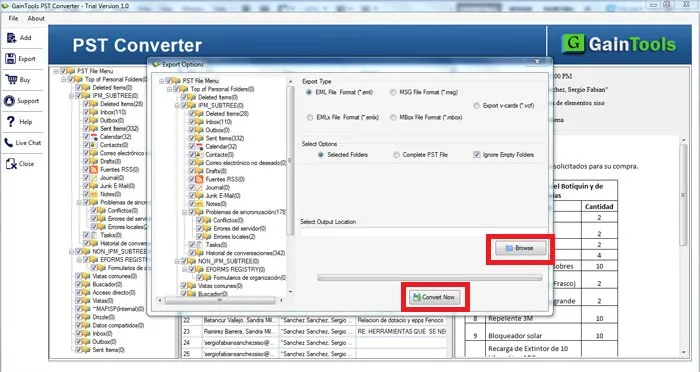
Choose a file format in which you want to export PST file. The application offers these formats to export MBOX file - EML, EMLX, MSG, MBOX, and VCF.
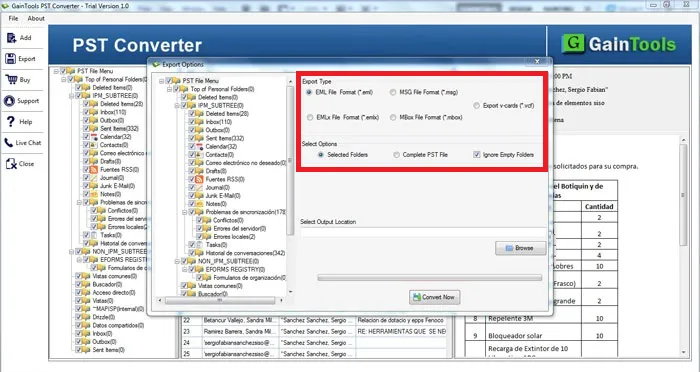
Specify a destination path to save the resultant data file using the Browse button.
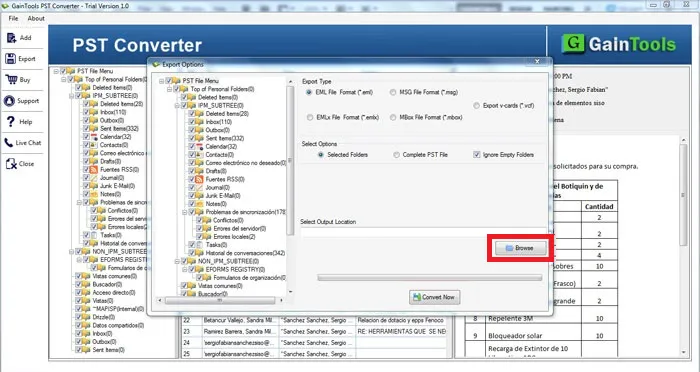
In the end, click on the Convert Now button to complete the conversion task.
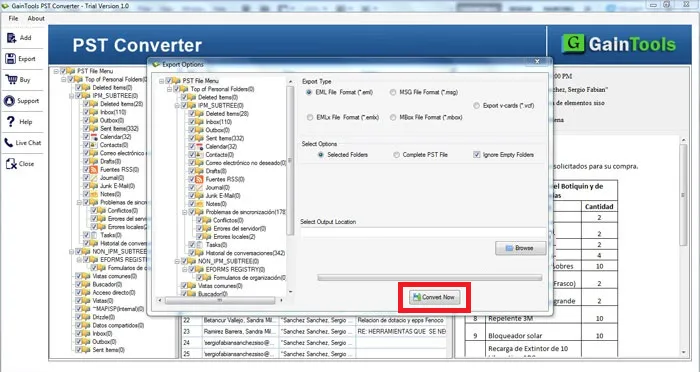
Know Minimum System Specifications to Download & Use the PST Converter App with Ease
Download a Trial - Take the tool to evaluate by converting 10 emails from each PST folder.
I had a big-sized PST file. When I need to export this PST file to MBOX as I was moving to Mac Mail, I was worried about the possibility of corruption during the migration process. I used your software and feel happy with the results without any loss & corruption issues.
Angeliki Warner USA
Conversion task sounds to be too complicated and manually I always found to escape from this. Since I got this software, I have recommended this tool to many users. I was glad with the quick and secure conversion results.
Adele Taylor Belgium
A few days back, I shifted from Outlook to Apple Mail and for the conversion, I utilized GainTools PST Converter and it smoothly exports PST files to MBOX format without any hurdles in the conversion process.
NMikhail Smith Bolivia