
Export DBX files into Outlook application in a matter of few clicks
A sophisticated Tool to convert Outlook Express DBX to Outlook PST File format
Never Fail in Accuracy
Every time, the this tool provides accurate migration results. You can trust the app for migrating important to important data without any hesitation. It scans all the properties of emails and maintains high quality content structure.
Export without Interruption
Once you click the last tab of DBX to PST Conversion, you are free to do some other tasks in your system. The work will be going in the background. The tool will not hamper your work flow. It works smoothly and without interrupting you.
Highly Flexible
In terms of flexibility, migrate DBX to PST without considering much. The utility runs on all the latest versions of Windows including 10/XP/Vista. It lets you export all available versions of Outlook Express to MS Outlook format.
Never mind to say that this software enables you to export entire messages a DBX file hold. It exports Emails, Notes, Messages, Attachments and all the folders. Thus, export process is safe with this converter program. You can rely on the app for getting accurate migration results each time. Exporting app scans a DBX file in less than 5 minutes. It shows the number of messages a DBX file has.
The very first step of the app needs you to select the DBX file you would actually like to export. Users can browse any folder and drive to their computer to locate the specific DBX file. Manual search is allowed. To quickly locate a particular DBX file, enter the particular folder name once you browse a drive. It helps to locate the particular DBX file quickly.
Format and structure of every exported DBX file is maintained by the app. The original file and the converted file have no difference. Export is achieved successfully. It exports not only the entire content but also manages data. No folder of a DBX file is missed or damaged during conversion process. Risk free migration is provided every time. This is one of the major advantages of DBX to PST Export tool.
What will be the output location is only decided by users. The tool gives you permission to set the output location in any suitable drive and an existed or new folder. Thus, great data management is possible. You will not lose your file because you have managed it smartly. In addition, it saves your time in search of a converter data because you already know the location.
At first glance at the tool, you will note that it is self-expressive. DBX to PST will be just a few clicks away from you. The wizard carries 3 simple steps- select a particular DBX file, set the output location and finally hit the convert button. It takes you just one trial to understand the conversion process. Simple user interface allows you to operate it confidently.
When it comes to compatibility, the tool would beat other email conversion program. It runs in almost all the latest versions of Windows including XP, Vista, 10 and 8. DBX files from any Outlook Express version can be converted to MS Outlook including OE 3.0 and OE 6.0. The converted data of DBX into PST can be accessed to any MS Outlook version including 2003, 2007, 2013 and 2016 without any interruption.
Choose DBX to PST migration app individual version, if you want to run it 1 or 2 systems. If the requirement is to run on multiple systems, the commercial version will be a better choice. We have categorized the tool into 2 formats- Personal and industrial. Carefully choose your suitable version to perform export process. It has been designed to target everyone needs.
Download the demo version of the app at first. The demo trail is available for 30 days. How does the app work? Does it suitable for me? You will find answers of these questions once the demo version is installed. The free trial works exactly like the licensed version of the app but it supports migration of only 10 messages per DBX folder.
The conversion of DBX files to Outlook PST involves a few steps.
The first step is to download and install DBX to PST Converter on your system.
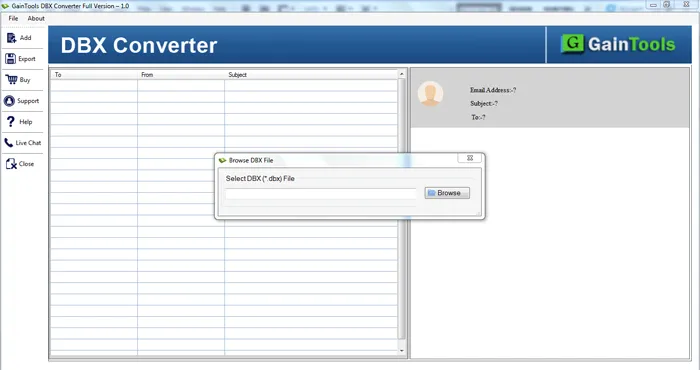
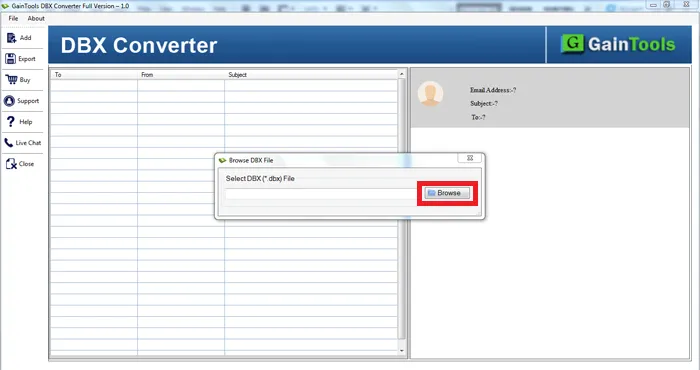
Next, go to the Browse button and add DBX file.
After adding DBX file, users can get a list of all emails stored in the DBX file.
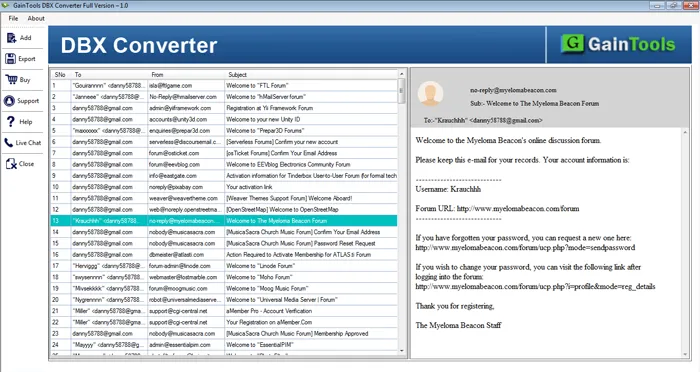
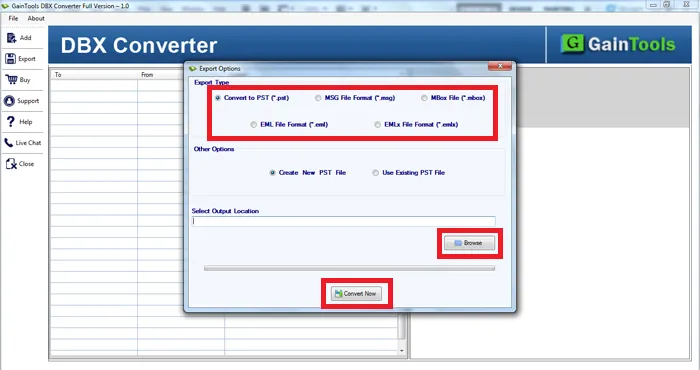
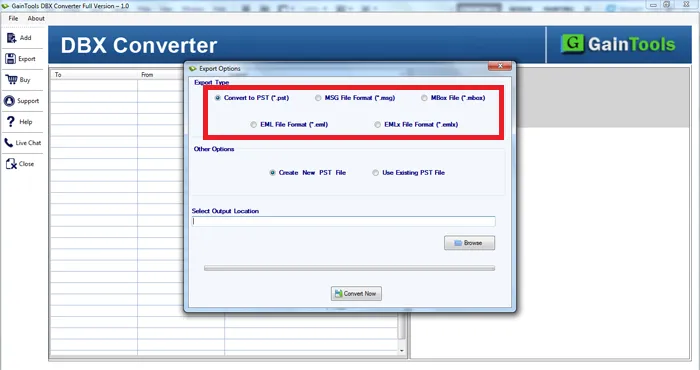
Choose PST file format to access Outlook Express files into Outlook.
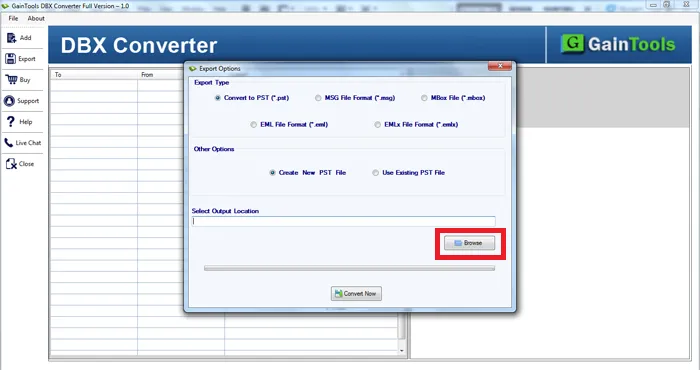
Click on the Browse button and choose a location to save PST file.
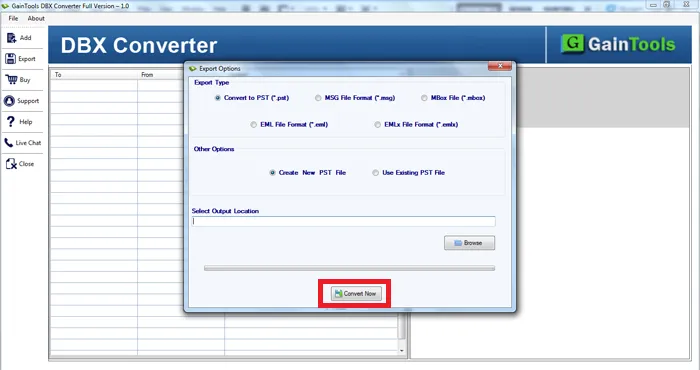
Finally, to start the conversion task, press the Convert Now button.
Know Minimum System Specifications to Download & Use the DBX to PST Conversion App with Ease
Download a Trial - Take the tool to evaluate by converting 10 emails from each DBX folder.
By upgrading to Windows 8.1, I was unable to move my Outlook Express database to Outlook 2019. For this, I came across DBX to PST Converter and handing this application was so easy for me. After 100% successful conversion, I would like to suggest this software to all the needy users.
John Smith Finland
100% safe and rapid conversion tool to migrate DBX files to Outlook. I utilized this application and got superb conversion results.
Mike Jones USA
Earlier I thought manual solutions would be easy to export Outlook Express database to MS Outlook but when I go through the complete process, I realized it is really a tough task. After a few searches, I struck with DBX to PST Converter software and all the data is easily migrated with this without any problems.
Sara Harris Germany