DBX Converter Software Guide
GainTools DBX Converter Software developed for transferring emails from Microsoft Outlook Express DBX file format into multiple file formats like PST, EML, EMLX, MSG, and MBOX.
Prerequisites
How to Work with DBX Converter Software
Easy Steps to Convert DBX File
Load DBX Files
To convert Outlook Express DBX file into any file format, install GainTools DBX Converter Software.
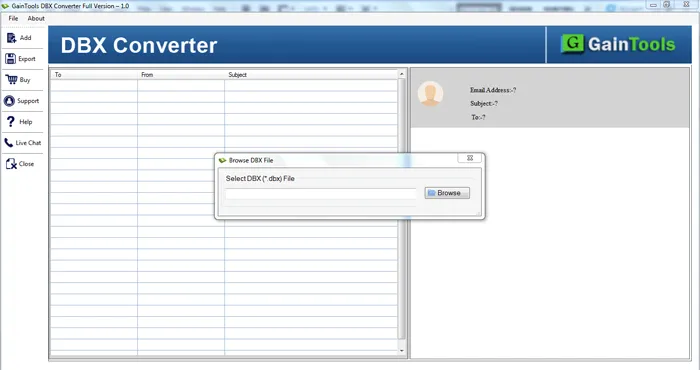
DBX Converter Software Interface
Browse DBX File
Browse Your Data
Open Software and browse DBX file from your local machine.
Browse DBX Files
Preview DBX Files
Preview DBX Files
The software will show DBX preview, check all emails and click on Export button.
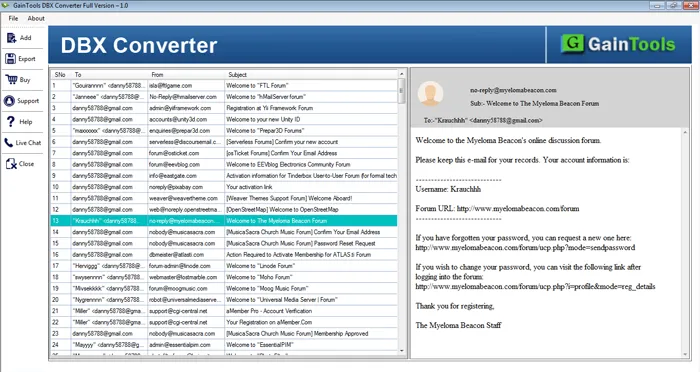
Preview & View DBX Files
Destination Location
Set Destination Location
Here you will find out multiple options, choose desired option and export DBX files easily
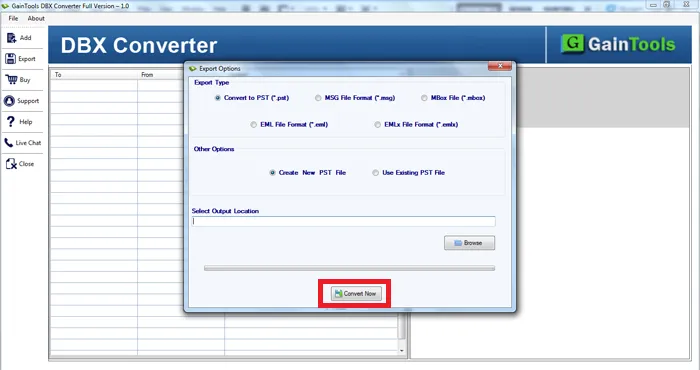
Select Destination path
Convert & Save
Convert DBX Files
Hit the Convert Now button to start the conversion task.
Convert & Save
Conversion Complete!
Your DBX files have been successfully converted to your desired format. You can now access your converted files from the specified location.