
Search Products & Tools

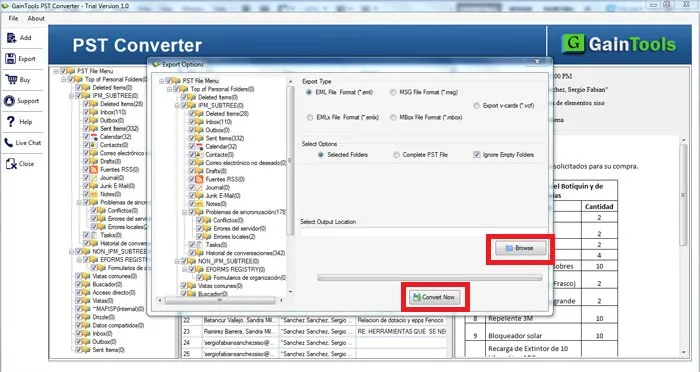
PST Converter Software Interface
v1.0Free Trial
30-Day Money Back
24/7 Support
Virus Free

Download PST to VCF Converter

Export PST contacts to VCF without MS Outlook

Total Ratings:248 - Average Rating: 4.8 out of 5
Sound migration support
Accurate migration assistance from PST to VCF each time
Extract whole contacts details of Outlook
A simple program to operate independently
Let you view Outlook contacts on all VCF supportive devices and email clients
Export all Outlook versions including 2003, 2007, 2010, 2013 and 2016
A fast conversion program to transfer PST contacts to vCard format
A Windows utility to run the program on Wins 10, XP, Vista, 8 & 7

GainTools PST to VCF Converter

Accurate, fast & flawless migration assistance

Export with Quality

The tool enables fast conversion every time. It gives accurate results no matter how big a PST file is. All the contact details are exported without losing quality. It keeps data intact and accurate.

Lifetime Validity

There is no expiry of PST contact to VCF converter. It can be used for the time period you wish and whenever you use it, the tool gives accurate conversion results. The lifetime validity feature makes the tool unique.

Independent App

Yes, the app doesn’t ask you to install Outlook and any third app to work. It works independently. Once you install the software, it runs without asking support of any third app. All the latest versions of Windows are supported.

Prominent Key Features of PST Contacts to VCF Exporter


no file size limit

Export Desirable PST Files

This is an advanced conversion program allowing you to export data of desirable PST files with its advanced filter tab. Browse locally to any folder or sub-folder to install the desirable PST file for migration. It takes just a few steps to install the targeted file.

no file size limit

Export Entire Contact Details

The exporter enables you to export entire contact details of a PST file. It extracts whole components including name (first and last name), company name, address (home and office address), phone number, fax number, images and other vital details that a contact list is holding.

no file size limit

Easy to Run & Operate

Whether you are novice or technically expert, conversion from PST to VCF is no more difficult with PST to VCF converter. It is a highly interactive app with simple window featuring just 3-4 simple tabs to convert data. No more hassles are faced by users to operate the program.

no file size limit

Access Outlook Contacts on Multiple Platforms

Once the PST contacts converted to VCF, users can view the contact details of PST on multiple email clients as well as smart devices. A VCF file can easily read on Apple Mail, Outlook, Palm Computers, iPhone, Blackberry and multiple small handheld devices. It keeps you connected with your important Outlook contacts.

no file size limit

Show Preview of the Targeted PST File

There is a preview pane of the software that features the targeted PST file data. Users can view contact details in hierarchical format to confirm whether the targeted PST file is the one that you want to use. Preview & Selective Export before the conversion gives you to option to preview your data.

no file size limit

Multi-tasking and a versatile tool

This Gaintools PST to VCF Converter performs all the tasks that a user needs, like Single and Batch Conversion, it converts all the data individually or in a Batch according to the requirement, Compatibility with Multiple Platforms, it is compatible with multiple platforms like Android, iPhone, Gmail, Outlook, Thunderbird, Yahoo, Office 365, and more.

How to migrate contacts from Outlook to VCF format?

With PST to VCF Converter, it is simple to export PST contacts to VCF.

+

The initial step is to install the application and start it.
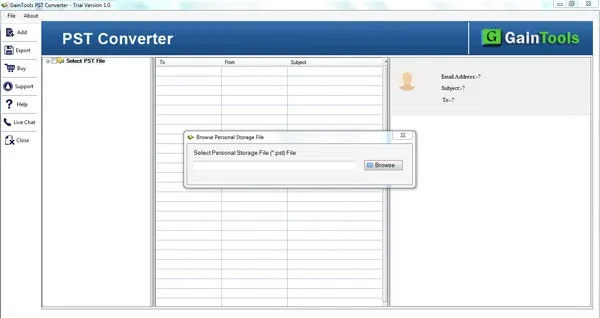
download pst converter
+

Now, click on the Browse button and upload PST file from your system to the software panel.
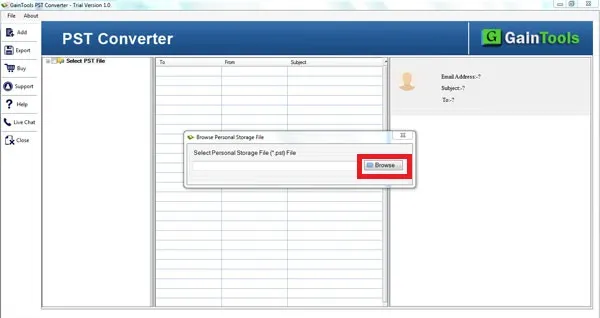
choose file folder mode
+

After adding PST file, you will get a complete display of the PST file where you can select particular contacts to export.
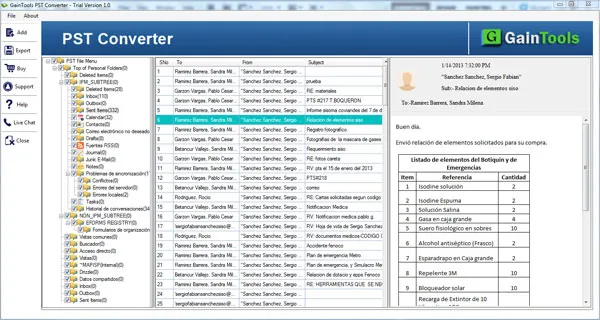
preview pst
+

Select VCF file format to export contacts of PST file.
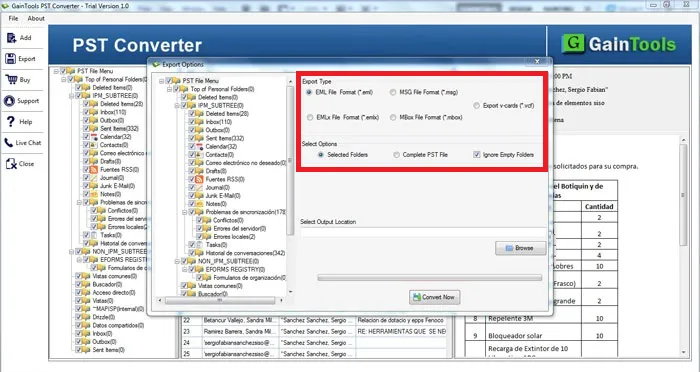
select file format
+

Click on the Browse button and mention a path of your system to save VCF files.
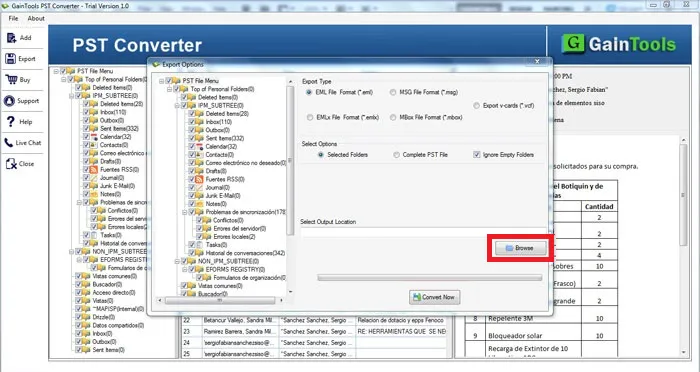
select output location
+

Hit the Convert Now option to commence the conversion process.
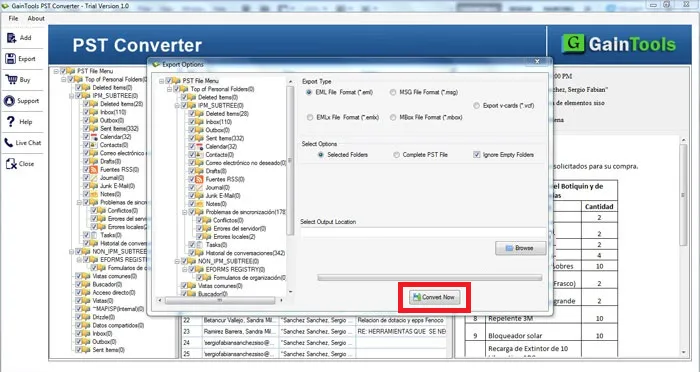
export pst

PST to VCF Converter Software FAQs

+

Yes you can. The exporter has advance filter tab.

+

Bulk conversion is supported. Entire PST data is exported safely.

+

There is no limitation.

+

License is valid for the time you would like to use. It will assist you as long as you wish.

PST to VCF Migration Procedure Images

Step-by-step visual guide to convert your PST to VCF files

How to Use PST to VCF Converter Software

Watch our comprehensive tutorial to learn how to convert PST to VCF files in just a few simple steps

PST Converter Tutorial Video

Watch Tutorial

Learn how to convert PST to VCF files step by step

Video Tutorial

Step-by-Step Guide

Complete walkthrough of the PST to VCF process

Easy to Follow

Simple instructions for all skill levels

Quick Results

See how fast the PST to VCF process is

PST to VCF Converter Tool Free Download

Software Name
GainTools PST to VCF Converter Software
Version
1.0
File Size
2.18 MB
Operating System
Windows 11/10/8.1/8/7 (64-bit & 32-bit)
Download a Trial

Take the tool to evaluate by converting 10 emails from each PST to VCF file.

Compatibility & Format

Input Formats
PST
Output Formats
MBOX, EML, EMLX, MSG
License
TRIAL + FULL
Language
English

System Requirements

Processor
1 GHz or faster
RAM
Minimum 512 MB
Hard Disk
100 MB free space
Display
1024x768 resolution

Client’s Views about PST to VCF Converter

See what our satisfied customers have to say about their experience with our PST to VCF conversion tool

"For a long time, I was looking for a solution to convert my PST contacts to vCard and then I found your software that gives 100% success result after completing the process. Thank you so much for providing this excellent utility."

OG

Odilian Gosselin

"I had only PST file with me and extracting contacts from this file to move them to my mobile phone was tough for me in the absence of MS Outlook. But thanks to PST to vCard Converter that quickly extract the contacts of PST file and exported into VCF."

WH

Walter Hucko

"This is a great software to use. I was searching the same application from so many days as I wanted to export all my Outlook contacts to VCF and your tool performed this for me with complete accuracy. I must say it is the best!"

IS

Argele Intili