
Smart solution to export OST files into PST format of Outlook
A Powerful Utility to Retrieve OST file to PST format
Convert Exchange OST to Outlook PST Quickly
The conversion program has been prepared to make migration from offline storage table to personal storage table easy and quick. The size of a file doesn’t matter. It takes a few minutes to convert entire data of OST 2 PST. Conversion is taken place automatically by the app.
Give Safety to Your OST Data
Before you get late migrate OST mailbox to PST. An oversized OST file can be corrupted or inaccessible anytime without warning. As you know PST has capacity to store more data, it means OST to PST conversion can save your data from corruption.
A Highly Compatible Utility
This utility is highly compatible. It has ability to run smoothly on all the latest versions of Windows. Moreover, the app enables you to access converted data to multiple MS Outlook platforms including 2003, 2007, 2010, 2013 and 2016. You can effortlessly access the converted data to multiple MS Outlook platforms.
Every time you experience effortless conversion of OST to personal storage table. The tool is really so simple to operate. It doesn’t need technical assistance to operate. You can operate the app singlehandedly as the steps are too simple to follow. The wizard of OST to PST Exporter is self-expressive, carrying a few simple and self-expressed tabs. So, each time you find effortless migration experience.
This cool app has been designed to let you switch from offline storage table to personal storage table. No matter what is the case of conversion, just jump to convert OST mailbox to PST with this third app. It performs automatic conversion of entire data as you hit the final tab “Convert Now”. It makes conversion task simply hassle free.
Each time you use this third app for migration, it asks you to choose your desirable OST file for migration. So each time the conversion result is satisfied you. It has deep file filtration support that allows you to browse any folder of your computer to pick the OST file of your choice. Users can easily navigate desirable MS Outlook file for migration.
Take your worry behind while using this OST to PST migration because the utility preserves data quality regardless of how many times you are using it. Every time, the conversion result is accurate. The file quality is kept intact by the app. It doesn’t change the folder hierarchy and all times of each OST folder are exported without losing quality.
The exporter allows you to convert OST data entirely to Personal Storage Table. It scans and exports mails, messages, notes, contacts, calendars, to-do list etc… All the stored folders of an OST file are scanned rapidly by the app to perform quick migration. It doesn’t matter how big an OST file, the utility scans it quickly to make it ready for migration.
The sophisticated software has capability to customize the migration results by allowing you to export a specific folder of an OST file. You can instruct the tool to export either entire data or export a specific folder of OST to Personal Storage Table. The cool feature makes conversion results entirely upon you, select any folder of OST including inbox, outbox, calendars, journals or contacts.
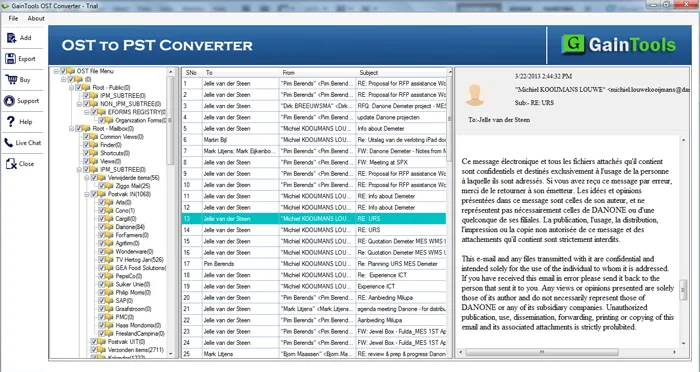
Each OST file you choose to export to PST, you can see preview of the selected data before exporting the file. With this facility, the tool lets you ensure that the selected OST file is the one that you actually want to export. In case, you have chosen a wrong OST file, it is easy for you to change it with the right one.
The OST to PST Export app saves the exported file locally. You can save the exported data to either a new folder or an existed one. Browse and save the exported file locally to any location that suits to your interest. It could be any drive. It instantly makes a new folder to save the exported data. Thus, the app encourages easy file management.
Conversion of OST files to PST becomes so easy with OST to PST Converter.
The first step is to download and install the software on your system.
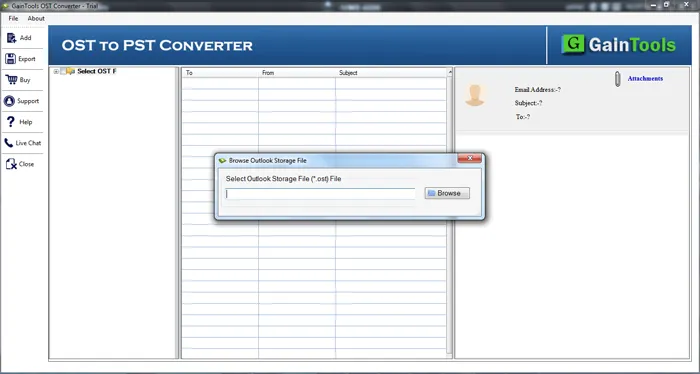
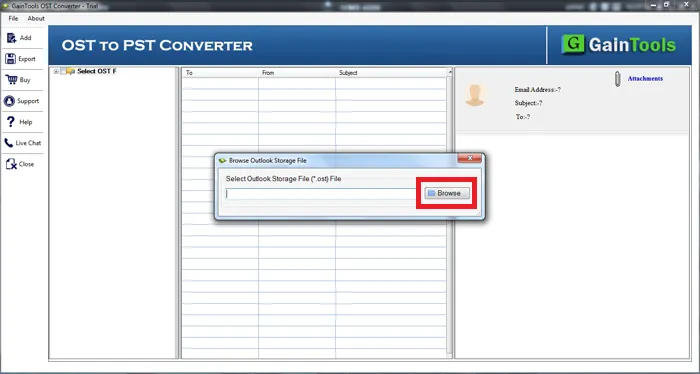
Now, click on the Browse button and add OST file.
Once OST file is scanned, get a complete preview of OST file and select items to export.
Select the PST file format in which you want to export OST file.
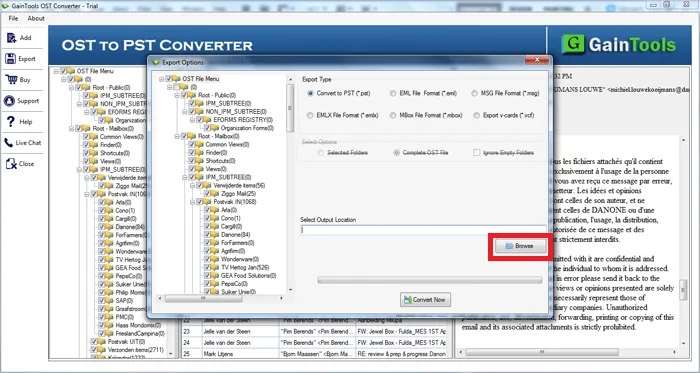
Choose an output location to save the converted PST files.
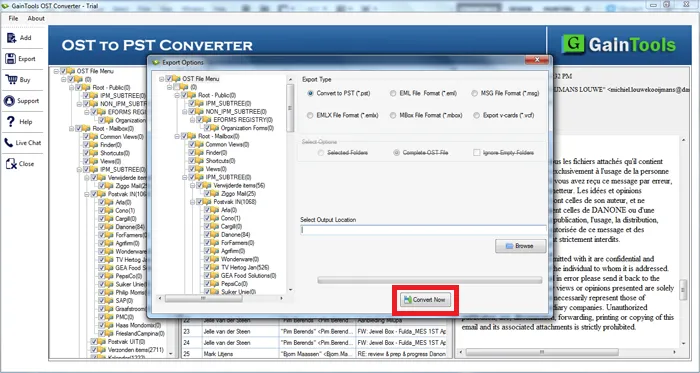
In the end, hit the Convert Now button to start the process of conversion.
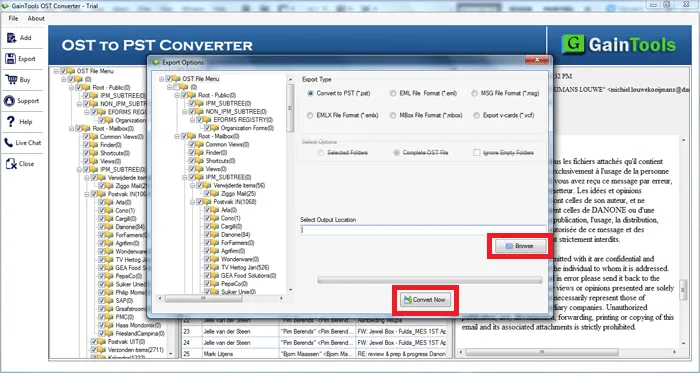
Know Minimum System Specifications to Download & Use the OST to PST Conversion App with Ease
Download a Trial - Take the tool to evaluate by converting 10 emails from each OST folder.
"Software is able to convert large sized OST to PST, nice tool"
R Elliott USA
"I had few offline Outlook mailboxes that not recovered with few tool then I tried this app and finally recovered my all emails successfully and got output in PST file format."
Michelle Emde Australia
"I had used GainTools OST to PST Converter software in few months past with great success. I migrated my emails, contacts, tasks, calendars from my corrupted OST file format to MS Outlook PST file format. Great work team"
Bernard Lalanne NewZeland