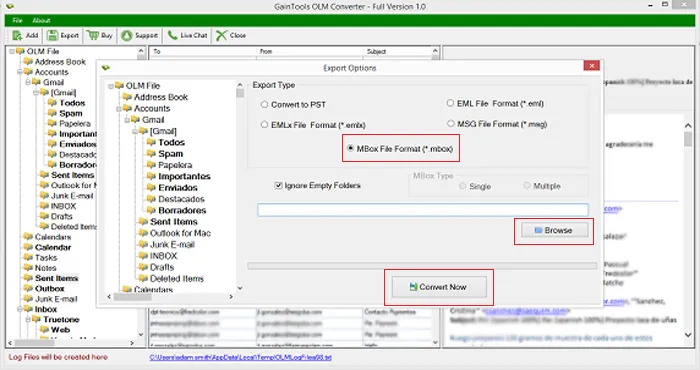

Convert Mac Outlook OLM file to Thunderbird MBOX file format
Export Mac Outlook files to MBOX file format on Windows
Reliable Utility
The conversion of OLM emails to MBOX file format is performed by the application in an effortless manner. With 3-4 simple steps, one can export Mac Outlook mailboxes to MBOX file format.
Flexible saving options
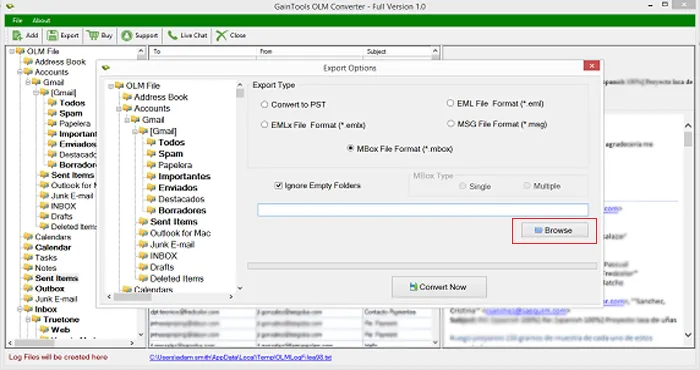
The software offers users the facility to select an output location of their choice. This will help users to access the files in an easy manner. Users can create a new folder to save the exported files.
Secure way
Conversion of Mac Outlook OLM files to MBOX file format is performed in a secure way. Without harm to the original files, the conversion of OLM emails to MBOX file format is completed.
The application performs the conversion of Mac Outlook emails to MBOX file format. Along with emails, the attachments are safely exported from OLM file to MBOX file format. One can complete the conversion task in a few simple steps. Without manipulating the actual files, the conversion task gets completed.
With the help of this conversion tool, one can export Mac Outlook file to MBOX file format. MBOX file is widely used by many email clients therefore, users can import it into various email clients such as Apple Mail, Entourage, Eudora, PocoMail, The Bat, NetScape, KMail, TurnPike, SeaMonkey, and others.
OLM Mail to MBOX Conversion Tool allows users to export Mac Outlook mailboxes to MBOX by keeping the folder structure intact. All the properties and associated fields of emails keep intact. The metadata details like to, cc, bcc, email id, sent date, received date, hyperlinks, attachments, etc. remain intact.
The program has the self-introductory interface due to which any beginner can effortlessly handle the utility. No prior technical training is required to handle the utility. Every size OLM file can be easily converted to MBOX file format. The software maintains the complete safety and security while conversion.
Run the software effectively on every Windows operating systems without any interruptions. Install the application freely on latest and earlier versions of Windows such as Windows 10, 8.1, 8, 7, Vista, XP, etc. 64bit and 32bit versions of Windows are well supported by the application.
There is no limit on the size and number of OLM files. You can simply perform the conversion of unlimited OLM files without any trouble. The number and size of Mac Outlook file does not disturb the conversion process. Moreover, the complete database preview is generated before finalizing the conversion.
Get a free demo of the utility to analyze the complete performance. It has the same features and functions like the licensed edition. The demo version allows to export only 10 items per OLM folder to Thunderbird MBOX format. Once you are satisfied with it, upgrade to the licensed edition.
No need to install Outlook, Thunderbird, or any other email client to perform the conversion. The utility is sufficient enough to perform the conversion alone. The utility supports all Mac Outlook version OLM file such as Mac Outlook 2019, 2016, 2011, etc. without any hurdles and error messages.
Export Mac Outlook emails to MBOX in an easy manner. Follow the steps discussed below.
The initial step is to install and launch the software on your Windows system.
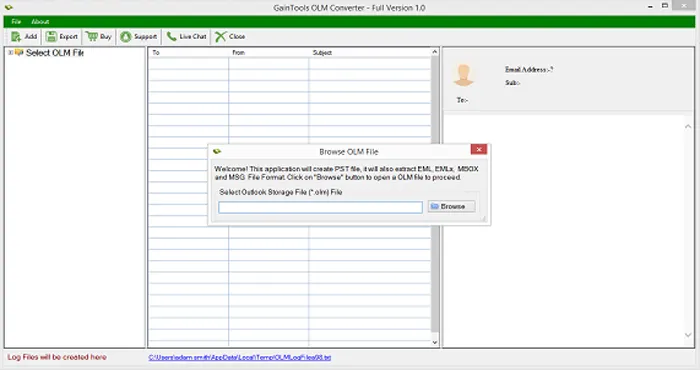
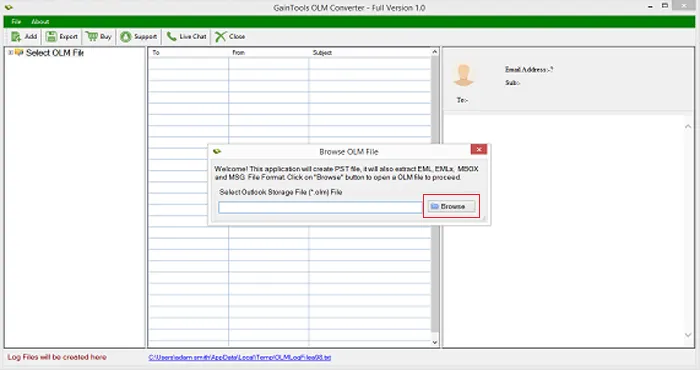
Use the Browse button and add OLM file to whom you want to convert.
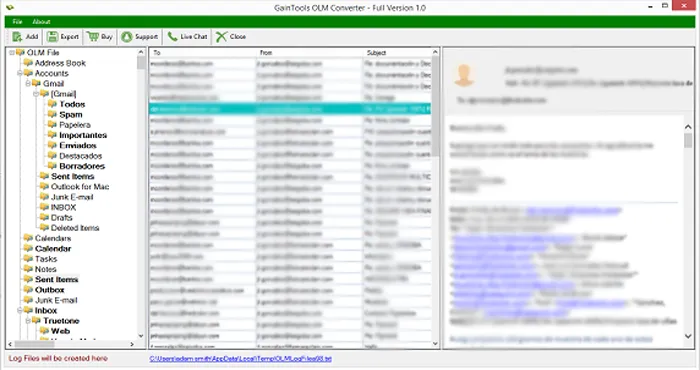
Get a complete display of OLM file and check the files before their migration.
Choose MBOX file format in Export options.
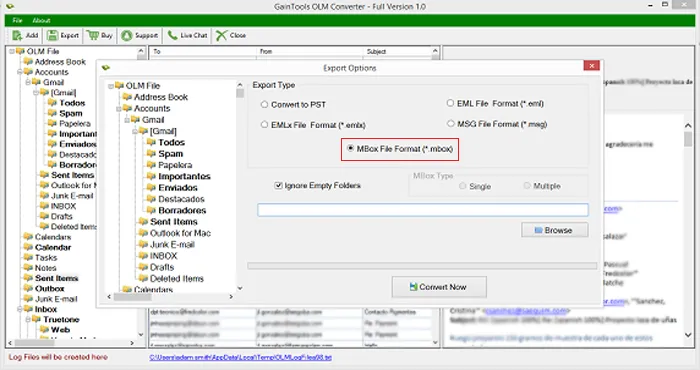
Choose an output destination where you can save the exported MBOX file.
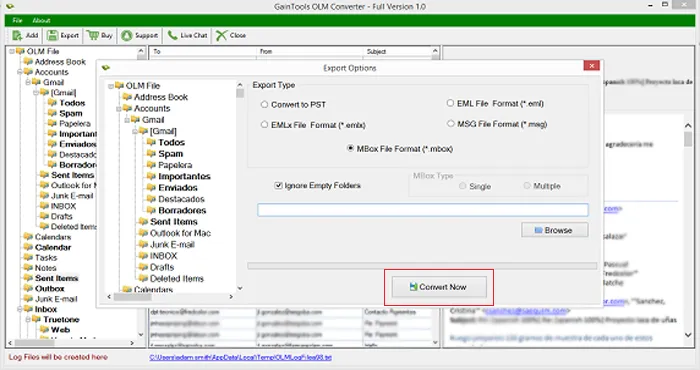
Hit the Convert Now button to finalize the conversion task.
Know Minimum System Specifications to Download & Use the OLM to MBOX Conversion App with Ease
Download a Trial - Take the tool to evaluate by converting 10 emails from each OLM folder.
I was facing problem while exporting Outlook 2011 OLM emails to MBOX file format on my Windows machine. My friend advised me to choose this utility. It solved my problem that was not resolved by other solutions.
Emery Leonardo Uruguay
All in one, I am overwhelmed with the results. It exported multiple emails of Mac Outlook mailboxes to Thunderbird in a matter of minutes.
Julia Bryson Turkey
I would like to recommend this amazing software to the needful users. Heartiest thanks to the development team.
Delilah Axel Sweden