OFT Converter Software Guide
How to convert OFT file is important question and the answer is very simple, download GainTools OFT Converter and convert Outlook Template files into multiple file extensions like MBOX, EML, PST EMLX, MSG and PDF, HTML, MHTML file formats.
Prerequisites
First Download Free tool from GainTools OFT Converter Official Page and install in any Windows OS.
Easy Steps to Convert OFT File
Load TGZ Files
Open GainTools OFT Converter Software and browse your OFT file.
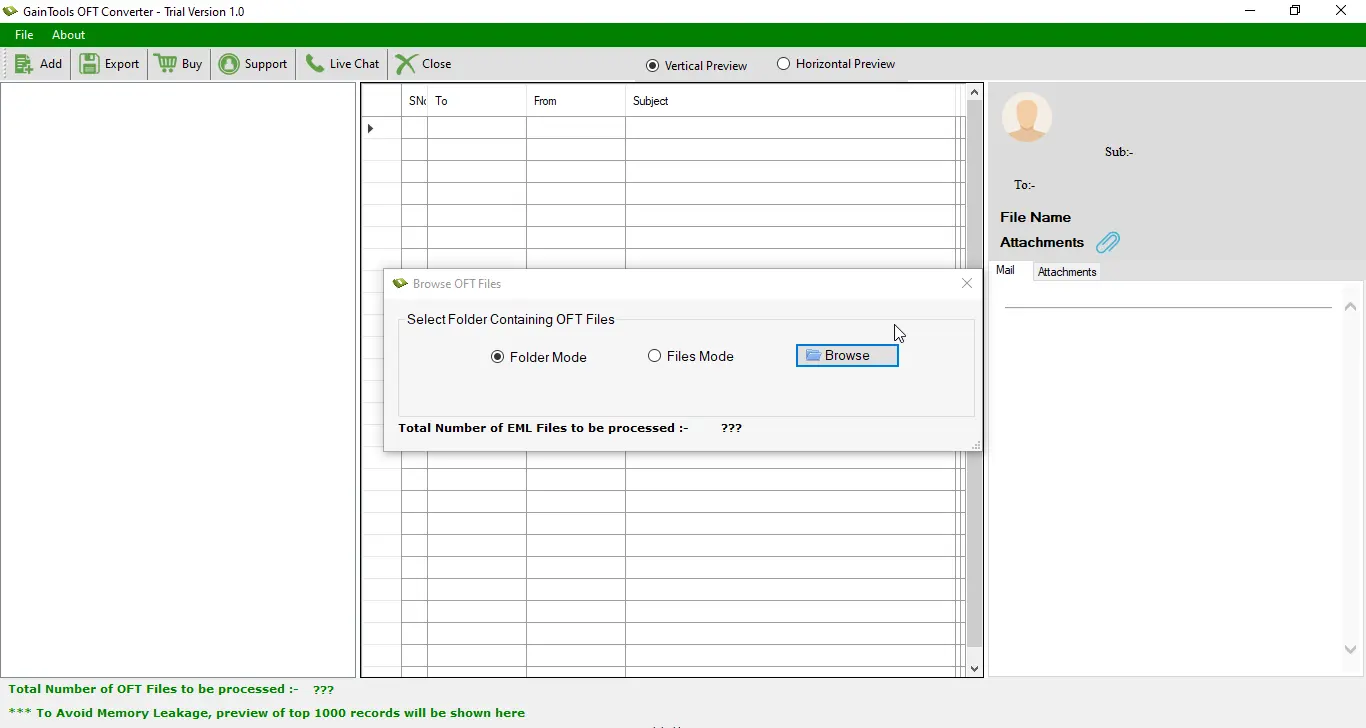
OFT Converter Software Interface
Preview OFT Files
Preview OFT Files
Software will display you all OFT file preview, check and click on Export button.
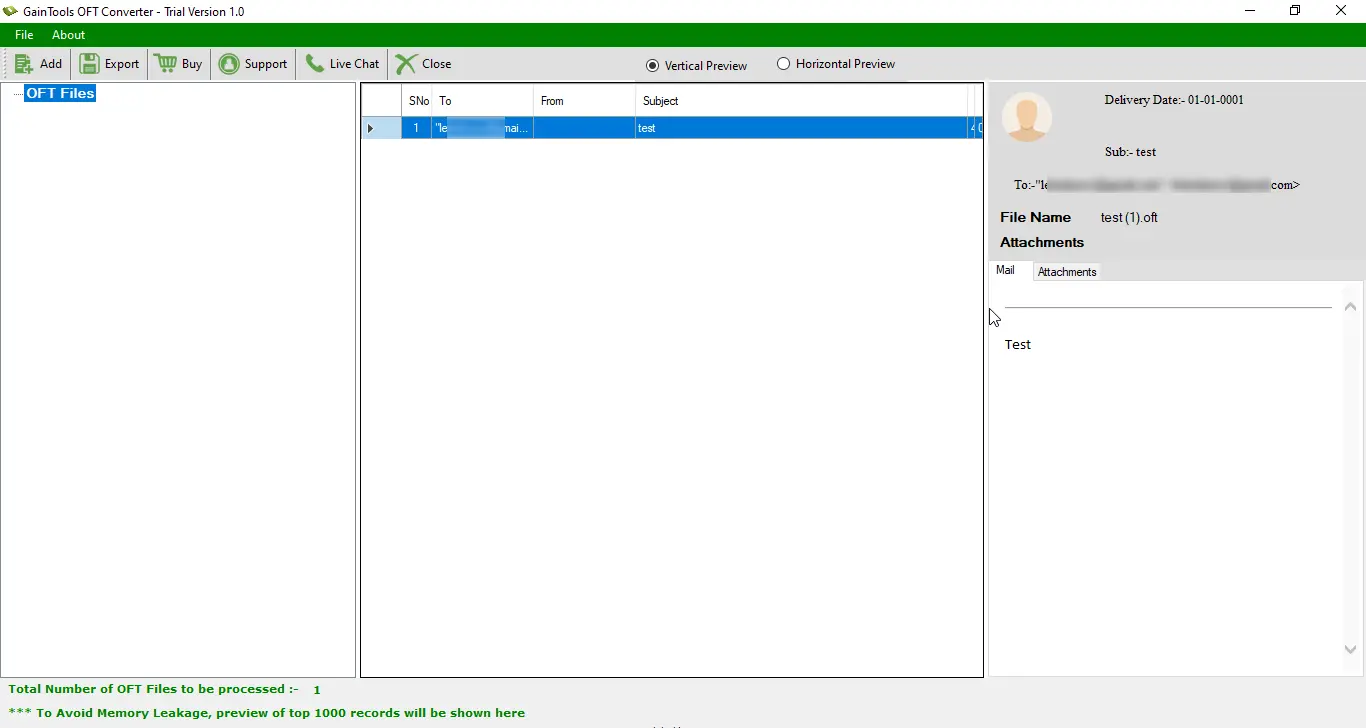
Preview & View OFT Files
Export Option
Choose Export Option
Now you will get multiple options to Export your OFT file. Choose specific option and click on Convert Now button.
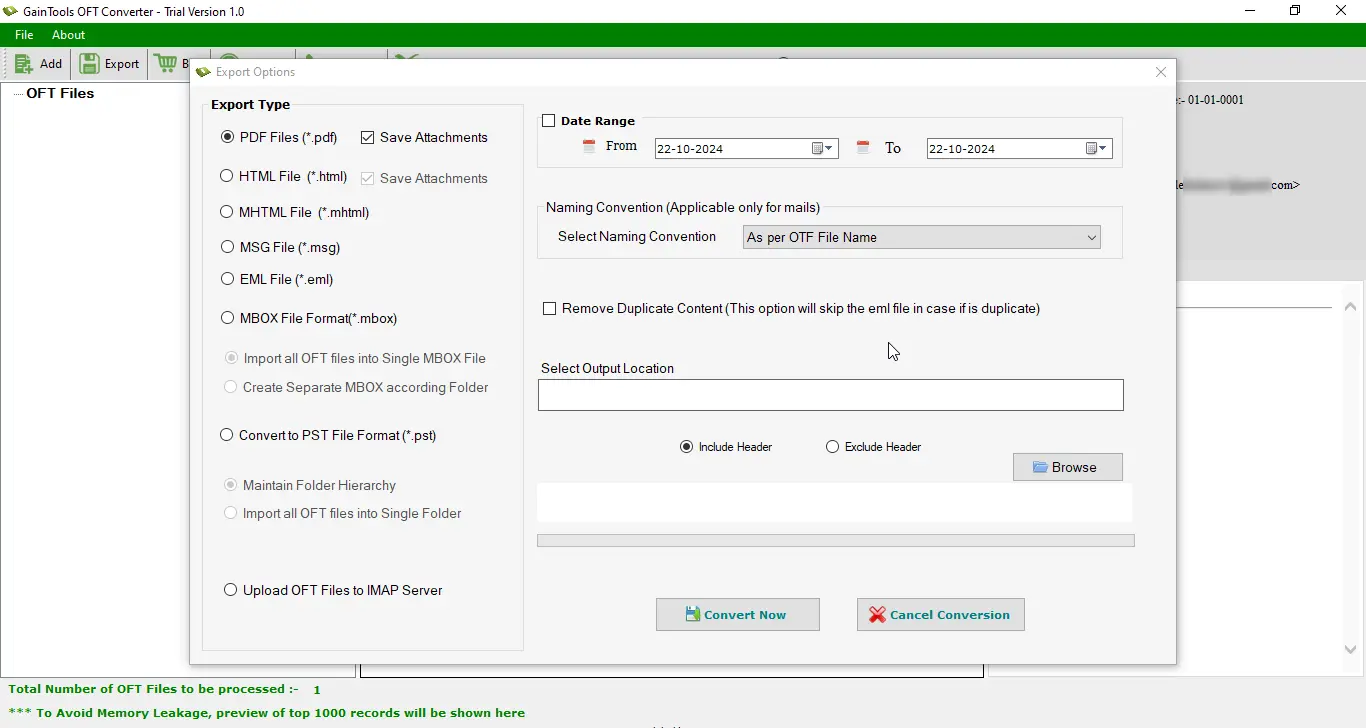
Select Exporting Option
Destination Location
Set Destination Location
To upload OFT files into cloud email client, you can choose the last option upload to IMAP Server.
Select Destination Path
Conversion Complete!
Your OFT files have been successfully converted to your desired format. You can now access your converted files from the specified location.