
Export EML files to PST of Outlook 2019, 2016, 2013, 2010 & others
GainTools Provide Accurate EML Folder & Subfolder hierarchy to Outlook PST Quickly
Rapid Data Conversion
This remarkable app has been designed to perform rapid migration. It has capacity to support bulk migration to enhance the conversion speed. Users can export multiple EML files at a time. It saves time and enable you to manage data.
Highly Compatible App
No matter what is the size of an EML file and what is the email client used to create the EML file, the utility is capable to convert EML to PST with ease. It doesn’t ask users for the EML file size and anything.
Error Free Migration
This utility is known for error free conversion. It preserves original structure and content quality. No data is corrupted and damaged. Safe migration assurance is offered. So, users can trust the app for safe and convenient migration.
EML 2 PST converter is a sophisticated app. Unlike free conversion method which is time consuming, the software is capable to export data rapidly. It has been designed to export not just one but also multiple EML files. You can export 2, 3, 4 or more EML files at a time. Thus, it saves quality time to users who are looking to export multiple EML files.
Our EML to PST migration app is well proven for quality. Each time you use the app, it offers accurate conversion. It has won the trust of individuals, professionals, agencies, corporate and even universities. It retains data quality by making no change in the text and format. It seems you have copied data from one folder to another.
The cool app has amazing file filter support that allows you to filter required EML files from any folder of your choice. Search locally for the EML file you would like to export. Select the targeted EML file to add in your EML to PST migration app. It copies the selected EML file in just a few seconds. It quickly scans the selected EML files.
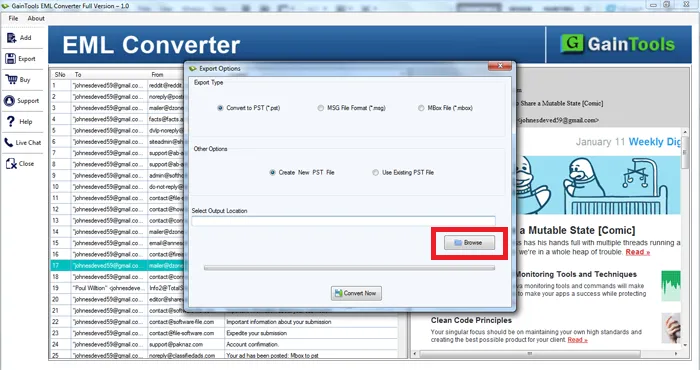
The output location of the exported EML file is asked by users. It could be any suitable folder of your choice. You are free to save the converted data to an existed PST file or a newly created one. The conversion app creates new PST file in just a few seconds. Give a unique name to the file and it is ready to save the converted data.
The EML file to PST Exporter has capacity to create one single and strong PST file. It saves the selected EML files in one PST file to create one strong Personal Storage Table file. Users are allowed to select multiple EML files to save into a PST file. As you know PST has capacity to stretch up to 20 GB, thus it is possible to achieve smart data migration.
The user interface of the app is interactive. It doesn’t take time for installation and run. From installation to setup and run the app, all are very easy to achieve. After just one trial, you can familiar with its functions and steps. You become confident to run the app singlehandedly. Though, customer care service is provided to resolve technical issues.
What are you waiting to download free EML to PST Converter demo version? The facility is available to 30-day to let you understand the tool key functions. This is a no-cost trail feature that works like paid version. It has only restriction with limited migration. Trial version is offered to let you buy the required software. It helps prevent purchasing the software which is not meant for you.
Apply for the licence of the app online! There are two suitable versions available to choose from. One is for individuals and the other is for industries. The commercial version is well suitable for all types of industries. No matter what is the size of the venture, you can shop the commercial version to install this cool app to multiple Windows systems.
GainTools EML to PST Converter offers a simple solution to convert EML files to PST.
The foremost step is to download and start the application on your Windows system.
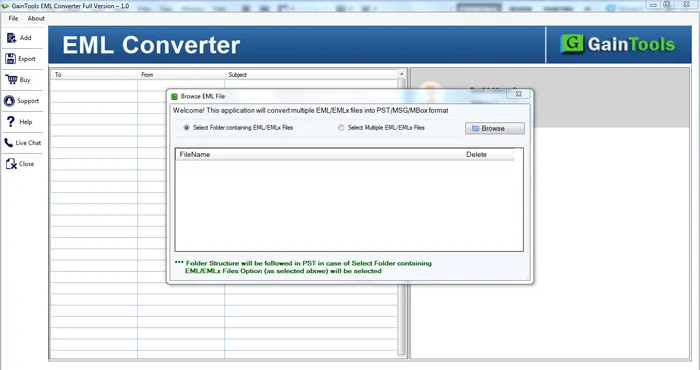
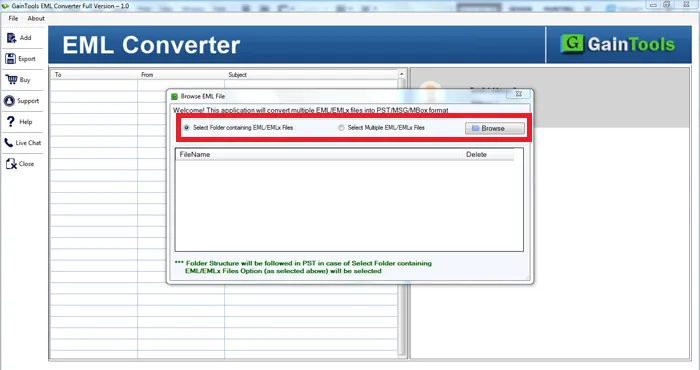
The next step is to add EML files that you want to convert. Select Folder or File mode and then upload EML files using the Browse button.
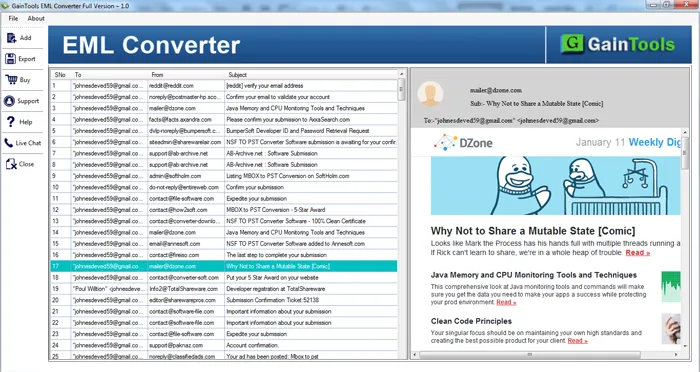
Once EML files are scanned by the software, users get a complete preview of EML files.
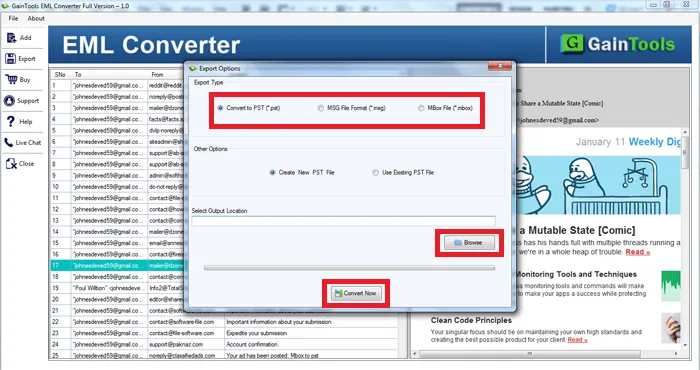
Select PST file format in Export Type. Also, select a new PST or existing PST.
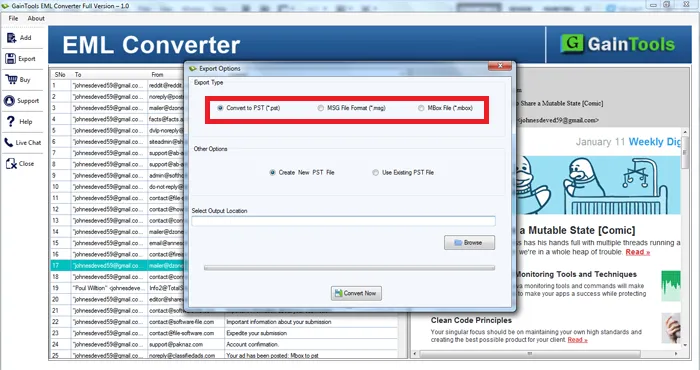
Hit the Browse button and select a location to save PST files.
To start the conversion process, hit the Convert Now button.
Know Minimum System Specifications to Download & Use the EML to PST App with Ease
Download a Trial - Take the tool to evaluate by converting 10 EML files.
With this brilliant software, I have exported several EML files into PST format to access them to Outlook 2016. The entire conversion is completed without any data loss and in a few minutes. I am happy that I chose this software.
Prince George Sweden
Exporting thousands of Windows Live Mail EML files to Outlook becomes so easy for me with this amazing software. The tool completely preserved all mailbox items during the conversion. Thanks a lot to the team for this excellent software.
John William Ukraine
I kept wondering how this tool has exported EML files to Outlook, I am highly impressed with the working of this application. This helped me to move EML to Outlook in quick and easy steps. Thanks to the developers.
David Mitchell USA