
A smooth solution to export Outlook PST files to MBOX with attachments
Complete accuracy is achieved, a reliable utility
A Simple Yet Advance Utility
It means the tool is simple to operate but supports advance features. The conversion result you get each time satisfies you. The utility retains data quality. Export process is achieved effortlessly. It scans all desirable PST file data.
Export Error Free
Each time the export process is achieved with full accuracy. The software retains the file quality by preserving the content structure and text. It doesn’t alter the content quality in no case. No matter how complex the data, export is performed with full accuracy.
Desirable Export Results
The PST to MBOX Migration app is capable to scan and export those PST files that you have commanded to select. Thus, each time the conversion result is according to your choice. Full accuracy is achieved in conversion every time.
The tool makes conversion from these two file extension much easy. A few manual steps are required to follow to successfully accomplish conversion. Steps are easy to keep in mind. Users can independently run the app. It performs automatic conversion no matter how big a PST file is. Technical assistance is not required to operate the app.
Every time, it gives the result you wish for. The conversion program enables you to export particular Personal Storage Table files to provide expected results. It lets you select a PST file from any location in the computer with deep file filtration support. Find out a particular MS Outlook file using the file name or browsing different folders.
This is really an incredible app to try. It lets you perform conversion of entire data of PST at one go. Just select the required PST file and as you hit the convert button, the tool swiftly extract entire folder of .pst including notes, messages, emails, journals, contacts and calendars to save to MBOX. The hierarchy of the folders are maintained well by the app.
As you know a PST file holds a number of folders. If you wish to extract a particular folder from a PST file you can do it easily. The tool has feature to customize your conversion by extracting a particular folder like Inbox, Outbox, Contact or Calendar. The extracted data is saved to MBOX effortlessly.
The entire conversion process of PST 2 MBOX is at user’s hands. Users just not select a particular PST file for migration but also decide the output location of the exported data. It helps to create easy file management which is a positive and one of the most attractive points of the app. Save to any folder. Use existed folder or create a new folder to save data.
Every time, you use the exporter PST to MBOX, the accuracy level is unbeatable. The tool preserves hierarchy of the content. It doesn’t make any change in the text and content structure. Whole meta properties of mails are saving including CC, BCC, To and From. The tool scans PST file with top accuracy. It is a reliable utility to use.
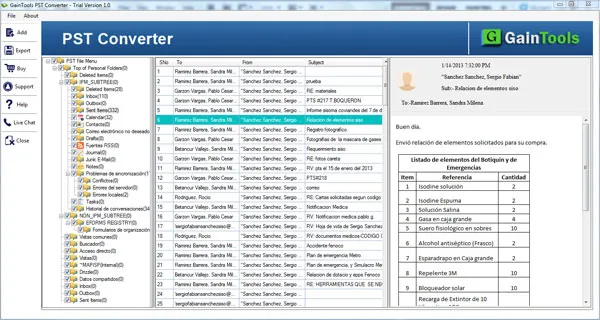
Before conversion, go through the content of the selected PST file to ensure this is the same file you wish to export. The utility has capability to give you detailed of data including the number of folders it has, the number of items in each folder and the item details like text, Cc, To, From and attachments.
Experience the key functioning of the app before purchasing it. The great utility demo version is available for 30 days. The free PST mailbox to MBOX trail is just to evaluate the utility performance. You are allowed to export 10 items per PST folder. For complete conversion, license is must to purchase. So examine the app to buy the best application for yourself.
With PST to MBOX Converter, the conversion process becomes so simple. Follow the mentioned steps.
Install and run PST to MBOX Converter on your system.
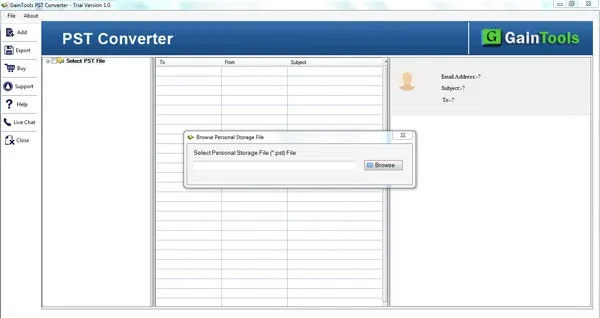
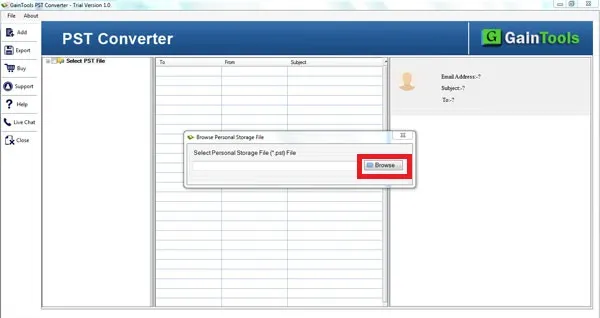
Go to the Browse button and add PST files to whom you would like to export.
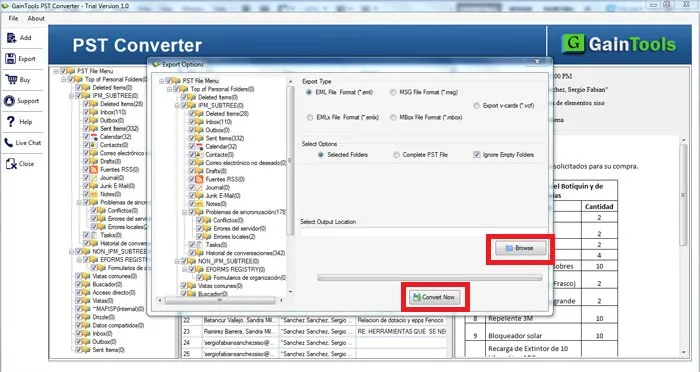
Complete scanning and preview of PST files. Users can select items to export.
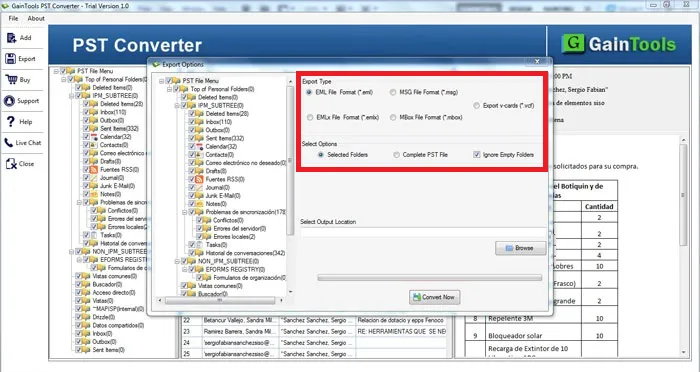
Now, choose MBOX format where you want to export the PST file.
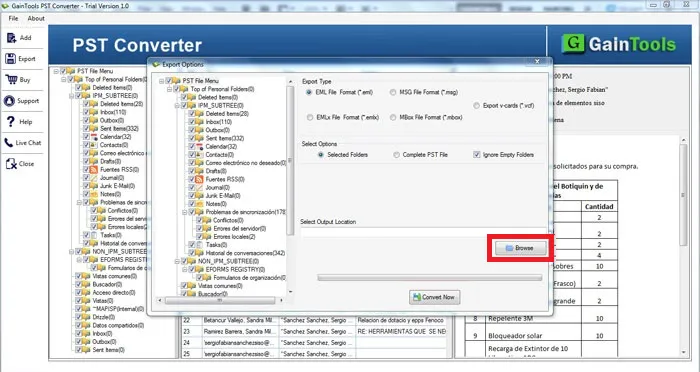
Use the Browse button and set a location of your system to save the resultant MBOX file.
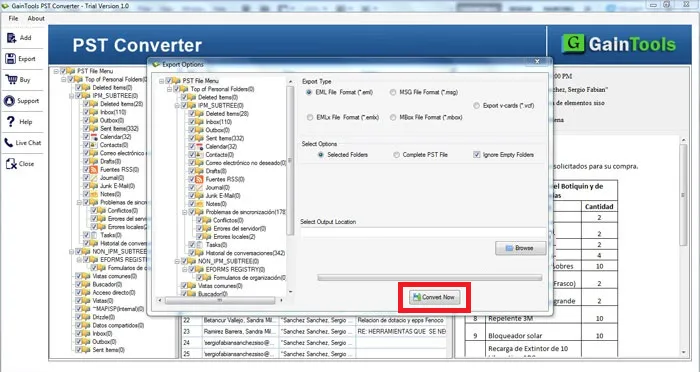
Finally, hit the Convert Now button to commence the conversion.
Know Minimum System Specifications to Download & Use the PST to MBOX Converter App with Ease
Download a Trial - Take the tool to evaluate by converting 10 emails from each PST folder.
Wonderful application, I handled this program and could export my 3500+ PST emails to MBOX Apple Mail with all the attachments. I got 100% outcome after implementing the export of PST to MBOX
Jules Boutin Bolivia
PST to MBOX Exporter truly helped me very much in converting my Outlook emails to MBOX format. Without giving any errors, the conversion can be completed. I would like to recommend this solution to all users who are struggling in searching for a suitable method to convert PST file to MBOX.
Oasge Christiansen USA
100% fast conversion without any damage to any file. Thumbs up to this amazing software.
Kusti Franti Canada